

If you’re evaluating IPTV for sports fans, the single biggest predictor of a good experience isn’t the channel list, it’s what happens in the background during peak kickoff windows. Most subscribers judge a service by price and channel count, then get blindsided by buffering the moment 40,000 other households tune into the same fixture. Before you hand over payment details, there are specific infrastructure and account-level checks that separate a service built for casual viewing from one actually built to survive live sports traffic spikes.
Why “Sports Ready” Means Something Very Specific
Plenty of providers advertise sports packages, but very few build infrastructure around the traffic pattern sports actually creates. A drama series streams at a steady, predictable rate all evening. A major match creates a vertical spike, tens of thousands of concurrent streams hitting the same server cluster within a two minute window around kickoff. If the underlying panel wasn’t provisioned for that kind of load, you’ll see it immediately: frozen frames right as a goal happens, audio drifting out of sync, or the stream dropping entirely during a penalty shootout. When you’re comparing IPTV for sports fans against a general entertainment package, ask directly whether the provider load balances specifically for live sporting events, not just for total subscriber count.
The Buffering Triggers Nobody Mentions Before You Sign Up
Buffering during a match is rarely random. It usually traces back to one of a handful of causes, and most sales pages won’t mention any of them.
- Single-origin servers with no regional failover during peak hours
- Panels overselling connections beyond their actual server capacity
- ISP-level deep packet inspection throttling suspicious traffic patterns during major fixtures
- Outdated transcoding profiles that can’t keep up with bursts in bitrate demand
- No backup uplink, so one fibre fault takes the whole panel offline mid-match
If a provider can’t explain how they handle even two of these, that’s a signal worth taking seriously before you commit to a subscription built around watching live sport specifically.
Pro Tip: Ask the provider directly what happens if their primary uplink drops during a high-demand fixture. A confident, specific answer about backup uplink servers and automatic failover tells you far more than any channel list ever will.
Backup Uplinks Are the Difference Between a Hobby Panel and a Real One
This is the part most subscribers never think to ask about, and it’s the part that matters most. A serious panel runs redundant uplink servers so that if one connection point degrades, traffic reroutes automatically without the viewer noticing. A hobby-run panel usually has one point of failure. During routine viewing, you’d never know the difference. During a World Cup opener or a title-deciding weekend, you’ll know within the first ten minutes. This is also exactly where ISP-level blocking has gotten more aggressive through 2026, with automated detection flagging unusual traffic surges tied to major sporting windows, which makes redundancy even more important than it was a few years ago.
Panel Infrastructure: What Separates Reliable From Risky
| Infrastructure Factor | Budget/Unreliable Panel | Premium Sports-Ready Panel |
|---|---|---|
| Uplink setup | Single origin, no failover | Multiple backup uplinks with auto-reroute |
| Server load handling | Static allocation, overselling common | Dynamic load balancing during peak fixtures |
| EPG accuracy | Frequently outdated, wrong kickoff times | Synced and updated in near real time |
| ISP resilience | Easily flagged and throttled | Traffic obfuscation and rotating endpoints |
| Support during outages | Slow, generic ticket queue | Dedicated escalation during live events |
EPG Accuracy Matters More for Sports Than Any Other Genre
An electronic programme guide that’s slightly off doesn’t matter much for a film library. For sports, a wrong kickoff time or a mislabelled channel means missing the first ten minutes of the match you subscribed specifically to watch. Before subscribing, check whether the provider updates its EPG for schedule changes, rearranged fixtures, and last-minute broadcast shifts. This is a small detail that gets ignored constantly, and it’s one of the fastest ways to spot a panel that’s actually maintained versus one running on autopilot.
ISP Throttling and DNS Poisoning: The 2026 Reality
Deep packet inspection has become significantly more sophisticated, and providers who haven’t adapted their infrastructure are the ones whose subscribers experience random disconnects during major fixtures. A few patterns worth understanding before you subscribe:
- Rotating server endpoints reduce the chance of a single IP getting flagged and poisoned at the DNS level
- Encrypted delivery methods make traffic harder to fingerprint as IPTV specifically
- Panels that haven’t updated their obfuscation methods since 2023 or 2024 are increasingly easy targets for automated blocking systems
- A provider that can explain their current approach to this, without dodging the question, is one that’s actively maintaining infrastructure rather than coasting on an old setup
Pricing Models and Why Sports Subscribers Pay More Than They Should
Sports-focused subscribers are often sold annual packages timed around a major tournament, then left with a service that quietly degrades once the hype cycle ends. Watch for providers who front-load their marketing around a single flagship event and go quiet on infrastructure updates afterward. A genuinely well-run service maintains the same server investment in a quiet November as it does during a marquee weekend, because panel credits and reseller allocations don’t fluctuate with the football calendar, only marketing spend does.
Why Sports Subscribers Cancel Faster Than Any Other Segment
Churn among sports subscribers follows a distinct psychology. A general entertainment subscriber who hits buffering mid-film is annoyed but often waits it out. A sports subscriber who misses a decisive goal because of a frozen stream cancels within days and rarely comes back, because the content was time-sensitive and unrepeatable. This is precisely why the infrastructure checks above matter more here than in almost any other IPTV use case: the tolerance for downtime is close to zero, and providers who understand this design their capacity planning around it rather than around average monthly usage.
Device Compatibility Checks Before You Commit
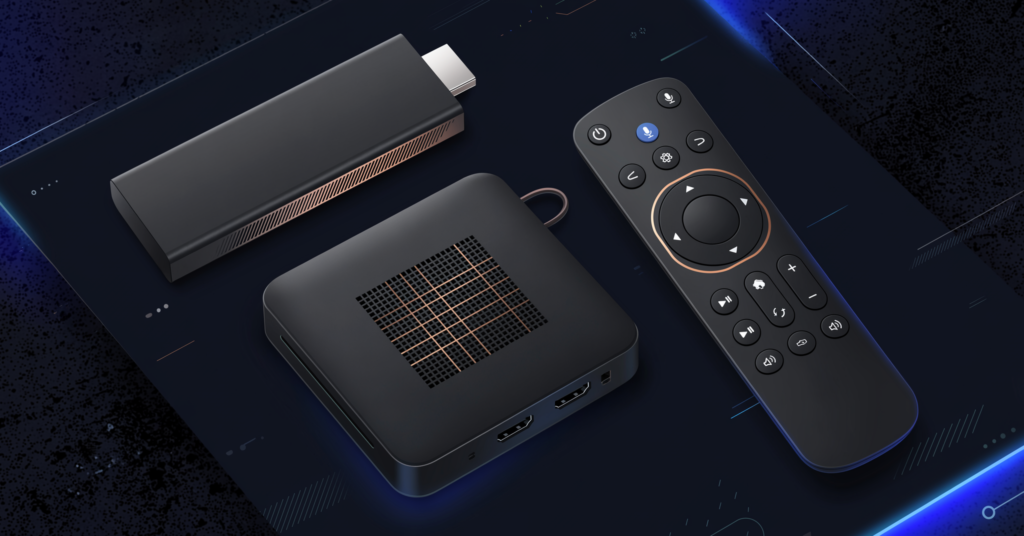
Not every device handles high-bitrate live sports streams equally well. Before subscribing, confirm the service works properly on your actual setup, whether that’s a Firestick, Android TV box, Apple TV, or a native smart TV app on Samsung or LG. Some panels perform fine on one device type and struggle on others because of how their app handles adaptive bitrate switching during a live stream. If sport is your main use case, test on the exact device you’ll actually be watching on, not just whatever the provider showcases in their demo.
What Resellers Should Verify Before Onboarding a Sports-Heavy Panel
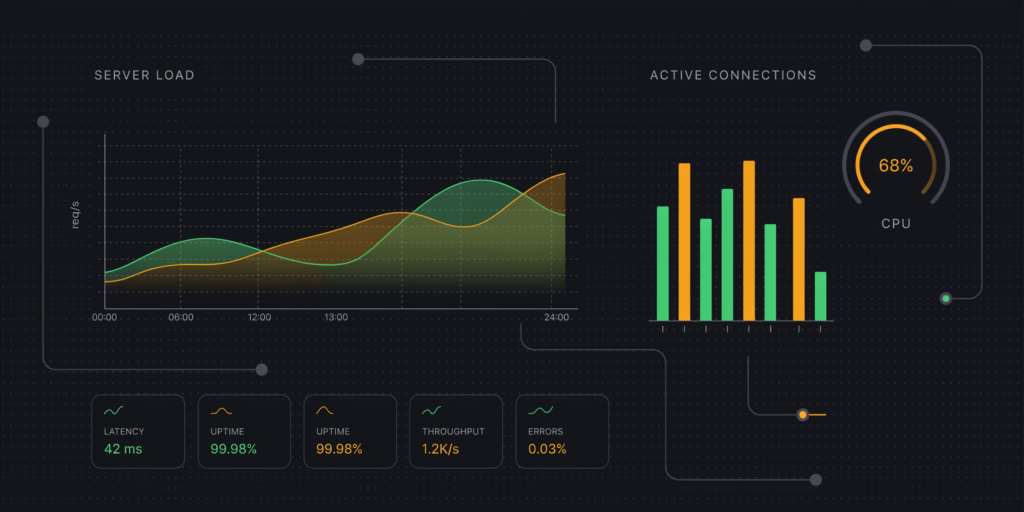
If you’re a reseller or sub-reseller building a customer base around sports content specifically, the checks above apply to you even more directly, because your churn risk multiplies across every household you’ve onboarded. Before committing panel credits to a sports-focused package, confirm the upstream provider’s actual server capacity, not just their advertised concurrent connection limit. A resource on how a reseller panel actually distributes load can help you understand what you’re reselling before you put your own reputation behind it. Providers like IPTV services that document their infrastructure openly are generally the safer long-term partners for sports-heavy resale.
Red Flags to Walk Away From
- Vague or evasive answers about server location and backup uplinks
- No trial period offered before a sports season or tournament
- EPG complaints appearing repeatedly in recent reviews
- Pricing that jumps sharply right before a major tournament, then vanishes after
- No clear escalation path when a stream goes down mid-match
Frequently Asked Questions
Is IPTV for sports fans worth it compared to traditional subscriptions?
It depends entirely on infrastructure quality. A well-provisioned service with backup uplinks and proper load balancing can rival traditional broadcast reliability. A poorly resourced panel will disappoint specifically during the moments that matter most, live, unrepeatable fixtures.
How do I know if a provider has proper backup uplink servers?
Ask directly and expect a specific answer about redundancy and automatic failover. Vague responses or marketing language instead of technical detail is a reliable warning sign that the panel runs on a single point of failure.
Why does my stream buffer only during big matches?
This almost always traces back to server capacity being exceeded by a sudden spike in concurrent viewers, combined with insufficient load balancing across regional servers during that specific window.
Can ISP throttling affect my IPTV for sports fans experience even with a good provider?
Yes. Deep packet inspection can flag streaming traffic patterns regardless of provider quality, though panels using rotating endpoints and encrypted delivery are considerably more resistant to this than static setups.
What should resellers check before selling sports-focused packages?
Verify the upstream panel’s actual concurrent connection capacity against their advertised limits, and confirm they have documented backup uplink infrastructure rather than a single origin server.
Is EPG accuracy really that important for sports content?
Extremely. A mistimed kickoff or mislabelled channel means missing the start of the exact content you subscribed for, which is a far more damaging error for sports than for any other content category.
Do premium panels cost significantly more than budget ones?
Often only marginally more per month, but the difference in uptime during peak fixtures is substantial. The cost of a missed final is usually far higher than the price gap between tiers.
Should sub-resellers worry about this if they’re not managing the panel directly?
Yes. Sub-resellers inherit the reliability of whatever panel sits above them in the chain, so the same infrastructure questions apply, just directed upstream rather than to the original provider.
Subscriber Checklist
- Confirm backup uplink and failover setup before paying for an annual plan
- Test on your actual streaming device, not the provider’s demo device
- Check recent reviews specifically for EPG accuracy complaints
- Ask what happens during a major fixture, not just during normal viewing
Reseller Checklist
- Verify upstream server capacity against advertised concurrent connection limits
- Confirm the panel has documented backup uplink infrastructure
- Review the IPTV services page for what’s included before committing panel credits
Sub-Reseller Checklist
- Ask your upstream reseller directly about their own infrastructure guarantees
- Don’t assume reliability, confirm it in writing before onboarding customers
- Keep a record of any outage history reported by your upstream provider
Conclusion
Choosing IPTV for sports fans comes down to infrastructure that most providers won’t volunteer information about unless you ask directly. Backup uplinks, load balancing during peak fixtures, EPG accuracy, and resistance to ISP throttling matter more than channel count once you’re actually watching live sport under real conditions. A quick reference like British Seller is a useful starting point for comparing how different providers present this information before you commit.