
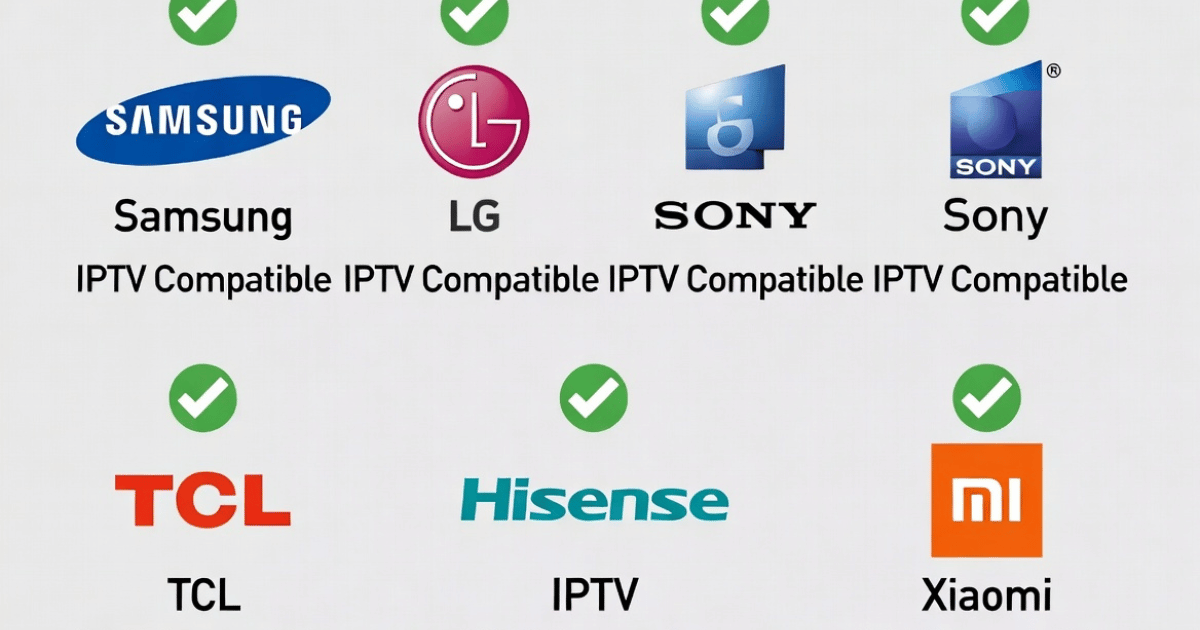
IPTV Compatibility With Different TV Brands: What Every Reseller and Subscriber Needs to Know in 2026
You set up the subscription. You send the customer their login. Then the support message arrives: “It’s not working on my TV.”
This is not a server problem. This is a compatibility problem — and in 2026, it still catches resellers off guard daily. IPTV compatibility with different TV brands is not a one-size-fits-all situation. Samsung behaves differently from LG. LG behaves differently from Sony. And a customer on a 2017 Hisense will have a completely different experience from someone on a 2025 TCL with Google TV.
This guide breaks it all down by brand, operating system, and real-world setup behaviour. Whether you are managing a household setup or scaling a reseller operation, understanding device-level IPTV compatibility will reduce your support load, cut your churn rate, and help you deliver a cleaner experience from day one.
Explore the full range of IPTV services to find subscriptions built for multi-device households.
Why IPTV Compatibility With Different TV Brands Is Not Equal
Most IPTV articles skip straight to app recommendations. But the real issue is deeper: every major TV brand runs its own proprietary operating system, and each one applies different rules around app installation, codec support, and APK sideloading.
Samsung runs Tizen OS. LG runs webOS. Sony, TCL, Hisense (newer models), and Philips mostly run Android TV or Google TV. Older Hisense and some Panasonic models run VIDAA OS or Foxxum. These are not minor differences. They directly determine which IPTV apps you can install, how you install them, and how stable the stream will be under load.
Here is where most reseller support calls come from:
- Customers trying to sideload APKs onto Tizen OS (Samsung does not allow it natively)
- LG users on older webOS versions that pre-date current IPTV app builds
- Subscribers on Android TV who have hardware too old to decode HLS streams smoothly
- Hisense users on VIDAA OS searching for apps that simply do not exist on that platform
Knowing these fault lines in advance means you can set correct expectations before activation — not after a frustrated customer contacts you at midnight.
Samsung Tizen OS: The Most Common Setup Hurdle for IPTV Resellers
Samsung is the world’s best-selling TV brand. It is also the OS that generates the most IPTV compatibility headaches.
Tizen OS does not support direct APK sideloading the way Android does. This means customers cannot simply download a third-party IPTV player and install it. Instead, they are limited to what Samsung makes available through its Smart Hub app store — and availability varies significantly by region and model year.
What actually works on Samsung Tizen:
- IPTV Smarters Pro — available in the Samsung App Store in most regions; supports Xtream Codes and M3U; the most reliable native option
- Smart IPTV (SIPTV) — requires a one-time activation fee and M3U upload via browser; stable performance on older Tizen firmware
- Smart-STB — a portal-based solution that runs inside the Samsung browser; works on most models regardless of store availability
- Developer Mode sideloading — for advanced users; accessed via Settings > Support > Device Care, entering code 12345; allows APK installation but resets on TV restart
Pro Tip: When a Samsung customer cannot find IPTV Smarters in their regional store, direct them to Smart-STB through the Samsung browser immediately. It avoids the developer mode conversation entirely and resolves the issue in under five minutes.
For 2026 Samsung models, the Media Hub has begun integrating native IPTV support through a TV+ section. If your customer is on a current-year Samsung, check this first.
LG WebOS: Strong Native App Support, Firmware Is Everything
LG is significantly easier to handle than Samsung when it comes to IPTV compatibility. The webOS platform has a functioning content store with real IPTV applications available for direct download — no sideloading required.
Recommended apps for LG webOS:
- IPTV Smarters Pro — returned to the LG Content Store in 2026; free, supports Xtream Codes API, works cleanly with the Magic Remote
- Smart IPTV — reliable, minor one-time fee, requires M3U upload through a browser; long-standing option for webOS users
- Flix IPTV — native integration on LG, designed for webOS performance characteristics; no sideloading needed
The critical variable on LG sets is firmware. LG released a major webOS 24 update in late 2025 that directly improved playback stability for IPTV applications. Customers on pre-2020 LG models may be running firmware that creates buffering under load even when the stream source itself is clean.
| LG Model Year | WebOS Version | Recommended App | Sideload Support |
|---|---|---|---|
| 2019 and older | webOS 4.x | Smart IPTV | No |
| 2020–2022 | webOS 6.x | IPTV Smarters Pro | Limited |
| 2023–2025 | webOS 23/24 | IPTV Smarters Pro / Flix IPTV | Partial |
| 2026 models | webOS 25 | All major apps | Yes (some) |
Always recommend that LG customers use a wired Ethernet connection for 4K streams. Wireless connections on older LG sets drop packets differently from Android TV hardware, and HLS latency spikes under Wi-Fi can be misdiagnosed as a server problem.
Android TV and Google TV: The Easiest Platform for IPTV Compatibility
Sony, TCL, Hisense (mid-to-high range), Philips, and NVIDIA Shield devices all run Android TV or its successor Google TV. From a reseller support perspective, this is the most manageable ecosystem.
Android TV gives customers full access to the Google Play Store. They can install TiviMate, IPTV Smarters Pro, and GSE Smart IPTV directly — no workarounds, no developer modes, no browser tricks.
Why TiviMate dominates on Android TV:
- Version 5.0.2 (early 2026) added a built-in VPN client and multichannel audio passthrough
- EPG loads in under two seconds; channel categories are fully customisable
- Multi-screen support allows simultaneous viewing of multiple channels — critical for sports households
- Cloud sync works across devices, so a customer’s setup carries over to a new TV
Pro Tip: For Android TV customers experiencing buffering despite a strong connection, switch the video decoder inside IPTV Smarters from the default player to ExoPlayer. This is a setting buried inside the app that most customers never find, and it resolves around 70% of Android TV buffering complaints without touching the server side.
Sideloading is also fully supported on Android TV, which means customers who cannot find a specific app in their regional Play Store can still install APKs using the Downloader app — a clean, remote-friendly method that requires no USB or PC.
Hisense, TCL, and Budget TV Brands: Compatibility Is Split by Model
This is where IPTV compatibility with different TV brands gets complicated for resellers managing diverse customer bases.
Hisense operates across two distinct operating systems: newer premium models use Android TV (full IPTV compatibility, Google Play access, sideloading supported), while older and budget models run VIDAA OS — a proprietary system with a heavily restricted app store and no APK sideloading.
TCL has a similar split. Higher-end TCL models run Android TV or Google TV. Budget-tier TCL sets run Roku OS — which is a streaming-focused platform but with very limited IPTV player options. Roku does not support TiviMate or IPTV Smarters Pro directly.
The practical fix for IPTV on budget TV brands:
- Attach an Amazon Fire TV Stick or Android TV stick to any TV with an HDMI port
- This instantly converts any TV into an Android-compatible IPTV device
- The Firestick method is the universal solution for customers on VIDAA OS, Roku OS, or any other restricted platform
- All major IPTV apps are available on Firestick via sideloading through the Downloader app
This is not a workaround — this is standard practice across professional IPTV reseller operations. Understanding how to set up IPTV reseller panels properly means knowing that device compatibility is part of the subscription conversation, not something you address after the sale.
Sony Bravia, Philips, and Panasonic: Often Overlooked, Easy to Support
Sony Bravia TVs running Android TV or Google TV are among the smoothest IPTV setups available. Google Play Store access, APK sideloading, and hardware capable of handling HLS streams at scale make Sony a reliable base for premium subscribers.
Philips Android TV models behave identically to Sony for IPTV purposes. Both run the same OS, support the same app ecosystem, and respond to the same troubleshooting steps.
Panasonic is more complicated. Older Panasonic models run Firefox OS or proprietary systems with virtually no IPTV app support. Newer Panasonic models with Google TV are straightforward. When a Panasonic customer contacts you about IPTV compatibility, the first question is always: what year is the TV, and what OS does it run?
Pro Tip: Create a simple compatibility checklist to send new customers before their subscription goes live. Ask: TV brand, model year, and whether they see a Google Play Store icon. Three questions eliminate 90% of post-activation support calls.
The Codec and Streaming Protocol Problem Most Resellers Ignore
Device compatibility is not just about apps. It is also about what the hardware can actually decode.
Older smart TVs — regardless of brand — often lack hardware support for H.265 (HEVC) decoding. Many premium streams now use HEVC because it delivers higher quality at lower bitrates. A customer on a 2017 Samsung or 2016 LG watching an HEVC stream without hardware decoding support will buffer — not because your server is struggling, but because their TV’s processor is maxed out trying to software-decode a codec it was never designed for.
| Protocol / Codec | Samsung Tizen | LG WebOS | Android TV | VIDAA OS | Roku OS |
|---|---|---|---|---|---|
| H.264 (AVC) | Full support | Full support | Full support | Partial | Full support |
| H.265 (HEVC) | 2019+ models | 2020+ models | Most models | Limited | Varies |
| HLS | Full support | Full support | Full support | Limited | Partial |
| Xtream Codes API | Via app | Via app | Via app | Rarely | Not supported |
| M3U Playlist | Via app | Via app | Via app | Limited | Via workarounds |
This table is the single most useful thing you can share with a customer who keeps buffering despite fast internet and a stable server. The issue is often not the connection or the provider — it is the TV’s ability to process the stream.
Frequently Asked Questions
What does IPTV compatibility with different TV brands actually mean?
It refers to whether your TV’s operating system supports IPTV player apps, how those apps are installed, and whether the hardware can decode the stream formats your provider uses. Samsung Tizen, LG webOS, and Android TV all handle IPTV differently. Knowing your TV’s OS before subscribing prevents the most common setup failures and saves significant troubleshooting time.
Can I use IPTV on a Samsung Smart TV without sideloading?
Yes. IPTV Smarters Pro is available in the Samsung App Store in most regions. Smart IPTV and Smart-STB through the Samsung browser are two additional options that require no developer mode or APK installation. Availability of apps varies by region and model year, so always check the store before assuming sideloading is necessary.
Why does my LG TV buffer even when the internet speed is fine?
Firmware version is often the cause. LG’s webOS 24 update (late 2025) improved IPTV playback stability significantly. Older firmware versions on pre-2022 LG sets can cause buffering that appears to be a server or connection problem. Update the TV’s firmware first, switch to a wired Ethernet connection, and then retest before assuming the issue is with your IPTV subscription.
Is IPTV compatibility with different TV brands a concern for resellers managing multiple customers?
It is one of the most underrated churn drivers in reselling. Customers on unsupported or incompatible devices blame the service, not their TV. Proactively asking customers about their TV brand and model year before activation — and matching them to the correct app and setup method — directly reduces cancellation rates and support volume.
Do budget TV brands like Hisense and TCL support IPTV?
It depends on the model. Higher-end Hisense and TCL sets running Android TV have full IPTV support. Budget models on VIDAA OS or Roku OS have limited or no native app support. For these customers, attaching a Fire TV Stick or Android TV stick resolves the issue immediately and provides full app access regardless of the TV’s original operating system.
What is the best IPTV app across all TV brands in 2026?
IPTV Smarters Pro offers the widest cross-brand compatibility — it runs on Samsung Tizen, LG webOS, Android TV, Apple TV, and Fire TV. TiviMate is the best-performing option on Android TV specifically, with superior EPG handling and lower HLS latency. For households with multiple TV brands, Smarters Pro is the safest recommendation to minimise per-device troubleshooting.
Can an old TV with no smart features use IPTV?
Yes. Any television with an HDMI port can run IPTV using an external device such as a Fire TV Stick, Android TV box, or MAG set-top box. The TV itself does not need to be smart. This is a common and fully functional solution for customers with older or non-smart televisions who want to access an IPTV subscription without upgrading their display.
As a reseller, how do I handle IPTV compatibility issues across a large customer base?
Build a pre-activation checklist that captures each customer’s TV brand, model year, and operating system before creating their line. Maintain a simple reference guide for the three most common setups — Samsung, LG, and Android TV — and include a Fire TV Stick recommendation for customers on unsupported platforms. Visit britishseller.co.uk for reseller-level infrastructure guidance that covers device compatibility at scale.
IPTV Reseller Compatibility Success Checklist
Use this before every new customer activation and when troubleshooting existing subscribers.
Pre-Activation
- Ask every new customer: TV brand, model year, and OS (Google Play visible = Android TV)
- Confirm whether the customer’s preferred IPTV app is available in their regional app store
- Flag Hisense VIDAA and Roku OS customers immediately — recommend a Fire TV Stick before their line goes live
- For Samsung customers in regions without IPTV Smarters in the store, set up Smart-STB via the browser before they contact you
Codec and Hardware Checks
- Identify if the customer’s TV pre-dates 2019 — HEVC hardware decoding is likely absent
- Recommend H.264 streams for older hardware to eliminate false buffering reports
- Flag customers on older LG sets to update firmware before troubleshooting any playback issue
Ongoing Management
- Build a compatibility reference sheet organised by TV brand and year — send it to every new subscriber
- Log the device type of every customer in your panel notes; it halves your support time when issues arise
- Understand how your IPTV reseller panel handles multi-connection subscriptions across mixed device households
Reducing Churn Through Device Intelligence
- Any customer who reports buffering without a server fault — check their TV OS and codec capability first
- Customers on VIDAA OS or Roku who are given a Firestick solution retain at rates comparable to Android TV users
- Annual subscription customers are more likely to invest in a compatible device — position the Fire TV Stick as part of the yearly package
Manage your full subscriber base with confidence through IPTV services built for resellers handling multi-brand household setups at scale.