
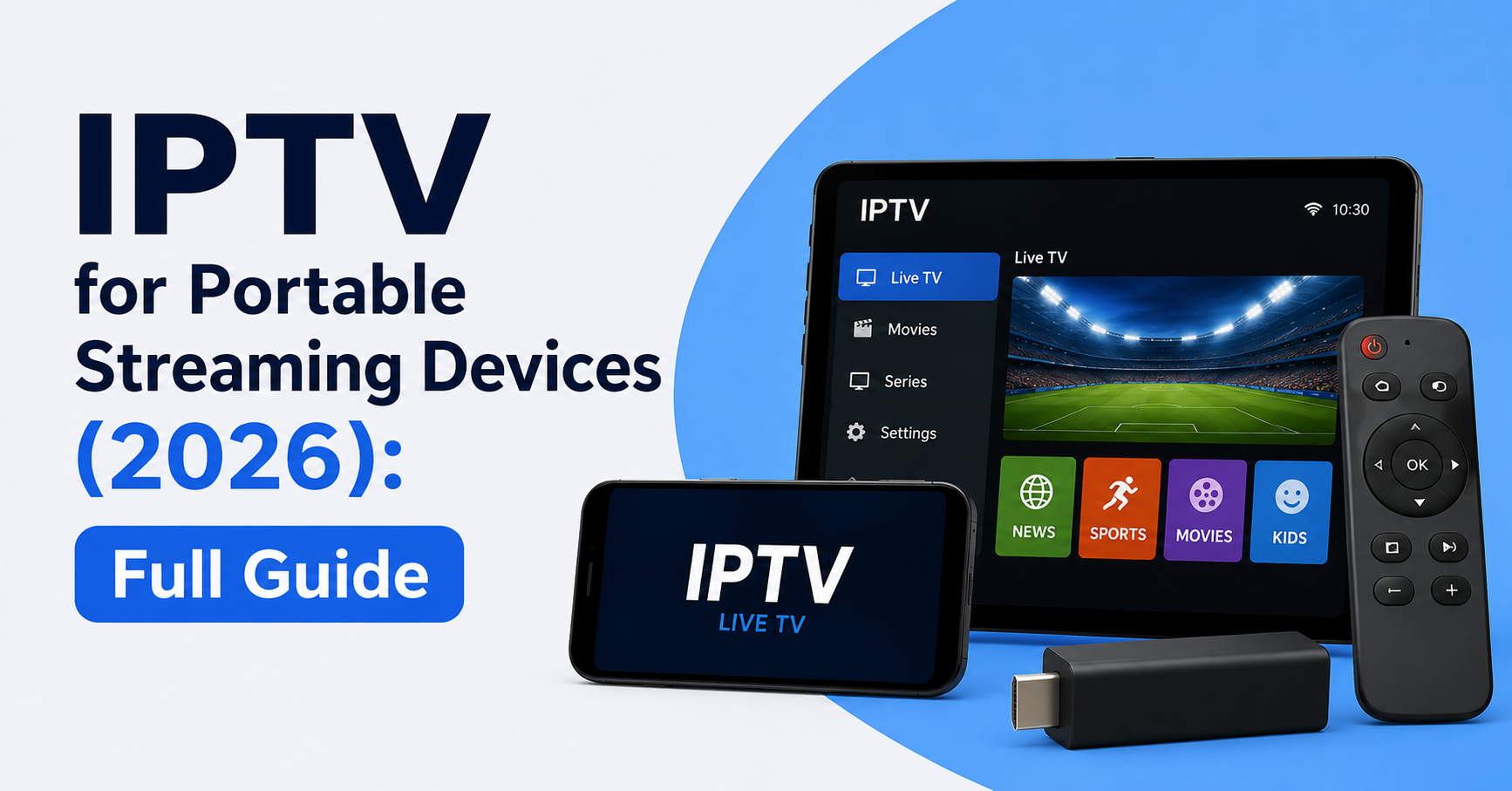
IPTV for Portable Streaming Devices (2026): The Complete Field Guide
The Mistake Most People Make Before They Even Start
People spend days researching IPTV providers, comparing channel counts, and obsessing over price — and then they try to run a 4K stream on a device with 1GB of RAM over a hotel Wi-Fi connection and wonder why it buffers every three minutes.
IPTV for portable streaming devices in 2026 is not the same as IPTV on a fixed home setup. The variables are completely different: network inconsistency, hardware limitations, player app behaviour, and ISP routing all behave differently when you are away from a stable broadband connection.
The short answer? IPTV for portable streaming devices works reliably when you match your stream quality to your available bandwidth, choose the right player app for your device, and use a provider whose infrastructure uses adaptive bitrate delivery rather than fixed-resolution streams. Without those three things in place, buffering is almost guaranteed.
Why Portable IPTV Behaves Differently From Home Streaming
A home IPTV setup runs on a fixed broadband connection with consistent routing, predictable latency, and a device that stays in one place. Portable IPTV runs on mobile data, shared hotel Wi-Fi, or hotspot connections — all of which introduce packet loss, latency spikes, and fluctuating bandwidth.
Most IPTV infrastructure is optimised for stable residential connections. When you introduce mobile routing, you are often crossing multiple network handoffs between your device and the content delivery server. Every handoff introduces potential latency.
What actually causes problems on portable devices:
- Shared Wi-Fi with dozens of competing users
- Mobile data routing through congested cell towers
- ISP throttling of streaming traffic on mobile networks
- Player apps not configured for low-latency environments
- Devices with insufficient processing power for high-bitrate streams
Pro Tip: If you are using mobile data for IPTV, drop your stream resolution to 1080p or lower. Attempting 4K over a 4G connection almost always results in buffering — not because 4G is too slow, but because mobile routing introduces too much latency variation for high-bitrate streams to remain stable.
Which Portable Devices Actually Handle IPTV Well in 2026
Not every portable device is equal when it comes to IPTV for portable streaming devices. The hardware matters significantly.
Amazon Fire Stick (Latest Generation)
The current Fire Stick remains one of the most practical portable IPTV devices available. It is compact, runs TiviMate and IPTV Smarters Pro without issues, and supports 4K HDR on compatible streams. Battery-free operation means it needs a TV with a USB port or a small portable power bank to run. In practice, it handles 1080p and 4K streams reliably when connected to a stable network.
Android Portable Media Players
Devices running Android 10 or above with at least 2GB RAM handle IPTV apps well. The advantage here is flexibility — you can install any IPTV player, switch between providers, and adjust settings that are locked on smart TV operating systems. Several compact Android media players now fit in a coat pocket while offering full IPTV functionality.
Tablets (Android and iPad)
Tablets running IPTV Smarters Pro or GSE Smart IPTV offer a genuinely good portable streaming experience. The larger screen makes them suitable for personal viewing without needing an external display. Mobile data performance varies significantly by location and carrier, so a VPN remains worth considering for consistent routing.
Smartphones
Smartphones are technically capable of running IPTV for portable streaming devices, but the small screen and battery drain during extended streaming sessions limit their practical use to short viewing periods.
The Network Problem Nobody Talks About
Here is something that regularly surprises people setting up IPTV for portable streaming devices for the first time: the problem is almost never the IPTV provider.
After reviewing hundreds of support requests from subscribers experiencing buffering on portable devices, the consistent finding is that network routing — not server quality — causes the majority of issues. A subscriber with a perfectly reliable home setup can experience constant buffering on the same IPTV subscription when using hotel Wi-Fi, simply because the hotel’s network routes traffic through a congested upstream connection or a DNS server that introduces delays.
| Network Type | Typical Stability | Common Issues |
|---|---|---|
| Home Broadband | High | Minimal during off-peak hours |
| Hotel Wi-Fi | Low to Medium | Shared bandwidth, DNS issues |
| 4G Mobile Data | Medium | ISP throttling, cell congestion |
| 5G Mobile Data | Medium to High | Improved latency, coverage gaps |
| Public Wi-Fi | Very Low | Heavy congestion, packet loss |
| Personal Hotspot | Medium | Dependent on signal strength |
Pro Tip: On hotel or public Wi-Fi, change your DNS settings to a fast public resolver such as 1.1.1.1 or 8.8.8.8 before launching your IPTV app. Hotel DNS servers are frequently overloaded and introduce enough latency to trigger buffering on otherwise reliable streams.
How ISP Throttling Affects IPTV for Portable Streaming Devices
ISP throttling on mobile networks in 2026 is more sophisticated than it was even two years ago. Mobile carriers now use deep packet inspection to identify streaming traffic and apply traffic management policies during peak hours. This is particularly relevant for IPTV for portable streaming devices because mobile data is far more susceptible to throttling than fixed broadband in most markets.
What this looks like in practice: your stream plays without issue for the first ten minutes, then begins buffering progressively as the carrier’s traffic management system identifies and deprioritises the streaming session. Many subscribers assume this is a server problem and contact their provider unnecessarily.
How to Work Around Mobile ISP Throttling
A reliable VPN with a fast local server encrypts your traffic and makes deep packet inspection significantly less effective. The trade-off is a small increase in latency. In most cases, the stability improvement from bypassing throttling outweighs the minor latency cost.
Switching from HLS streams to MPEG-TS format in your player settings can also reduce throttling impact. HLS streams have more identifiable traffic signatures, making them easier for carrier-level systems to detect and manage.
Choosing the Right Player App for Portable IPTV
The player app matters more on portable devices than on fixed home setups because portable environments have more variables the app needs to manage. IPTV for portable streaming devices depends heavily on buffer management settings within the player.
TiviMate
The most capable option for Android-based portable devices. The buffer size is adjustable, it handles EPG data efficiently, and the interface works well on both tablets and compact media players. It requires a subscription for the full feature set but is worth it for serious IPTV users.
IPTV Smarters Pro
Works across Android and iOS, making it the most universally compatible option for IPTV for portable streaming devices. It supports multiple playlists, handles Xtream Codes API connections reliably, and includes basic buffer adjustment settings.
GSE Smart IPTV
Strong on both iOS and Android. Slightly more technical than Smarters Pro but offers more granular control over stream parameters. A good option for users who want to fine-tune their setup beyond what standard apps allow.
Pro Tip: Regardless of which app you use, increase the buffer size to at least 10,000 milliseconds when using mobile data or shared Wi-Fi. The default buffer settings are calibrated for stable home broadband and will not handle the latency spikes common on portable networks.
What Resellers Need to Know About Portable Device Customers
For IPTV resellers managing customers in 2026, portable device users generate a disproportionate volume of support requests. The pattern is predictable: a subscriber with a stable home setup leaves for a hotel, experiences buffering, and assumes the service is down.
Resellers who build simple portable device guides into their onboarding process reduce support tickets significantly. An IPTV reseller panel that lets you send onboarding messages to new subscribers is genuinely valuable here — it sets expectations before problems arise.
One reseller we spoke to reported that after creating a one-page guide specifically covering IPTV for portable streaming devices — covering DNS settings, buffer adjustments, and app configuration — their portable-device support requests dropped by roughly forty percent.
The best IPTV resellers also structure their credit pricing to account for the higher churn rate among mobile-first subscribers. Short-term credit packages with renewal incentives tend to retain portable device users better than long-term commitments, because portable users have more variable usage patterns and are more likely to go quiet during periods without reliable network access.
For sub-resellers operating under a panel owner, passing clear portable device guidance downstream to customers is a differentiator that directly impacts retention. Subscribers who understand why buffering happens and how to fix it are less likely to cancel and seek a different provider.
Infrastructure Factors That Separate Reliable Portable IPTV From Unreliable
Not all IPTV infrastructure handles portable device traffic the same way. IPTV for portable streaming devices benefits specifically from providers whose delivery infrastructure includes the following:
Adaptive Bitrate Streaming (ABR): Automatically adjusts stream quality based on available bandwidth. This is critical for portable use where bandwidth fluctuates constantly.
Multiple CDN Nodes: A provider routing content through geographically distributed CDN nodes reduces the distance data travels to your device. On mobile networks where latency is already higher, this matters.
Automatic Failover: If one delivery server becomes overloaded or goes offline, automatic failover redirects your stream to a backup server without requiring manual reconnection. On a home setup, brief interruptions are annoying. On a portable device during a journey, they are disruptive enough to trigger cancellation.
Low-Latency HLS Delivery: Standard HLS can introduce 6–30 seconds of latency. Low-latency HLS reduces this significantly, which matters for live sports and news on portable devices where viewers expect near-real-time delivery.
Setting Up IPTV for Portable Streaming Devices: Step-by-Step
If you are configuring IPTV for portable streaming devices for the first time or troubleshooting an existing setup, follow this sequence:
Step 1: Confirm your device has at least 2GB RAM and is running a current operating system version.
Step 2: Install a reputable IPTV player — TiviMate for Android, IPTV Smarters Pro for cross-platform.
Step 3: Change your device DNS settings to 1.1.1.1 before entering your IPTV credentials.
Step 4: Set your stream resolution to 1080p for mobile data environments.
Step 5: Increase your player buffer to 8,000–12,000 milliseconds.
Step 6: If throttling is suspected, activate a VPN before launching the player app.
Step 7: Test on a 30-minute stream before a major viewing session to confirm stability.
For reliable UK-based IPTV services compatible with portable streaming devices, BritishSeller.co.uk offers subscription options specifically suitable for both home and portable use.
Common Mistakes That Kill Portable IPTV Performance
We see the same avoidable mistakes repeatedly across portable device setups.
- Attempting 4K streams on 4G connections without adaptive bitrate support
- Using default DNS settings on hotel or public Wi-Fi
- Not adjusting buffer size from home-optimised defaults
- Running multiple background apps on low-RAM devices during streaming
- Connecting to the furthest CDN node because of incorrect geo-routing settings
- Using outdated app versions that lack current buffer management features
- Relying on public Wi-Fi without any traffic encryption
FAQ
What is IPTV for portable streaming devices?
IPTV for portable streaming devices refers to accessing live television and on-demand content through internet-based streaming on compact portable hardware — including Fire Sticks, Android media players, tablets, and smartphones. Unlike home-based IPTV setups, portable IPTV requires specific configuration adjustments to account for variable network conditions, mobile data throttling, and device hardware limitations.
Which portable device is best for IPTV in 2026?
The Amazon Fire Stick (latest generation) and Android portable media players with 2GB or more RAM are the most reliable options for IPTV for portable streaming devices in 2026. They support the best IPTV player apps, handle 1080p and 4K streams when connected to adequate networks, and are compact enough for travel.
Why does IPTV buffer more on portable devices than at home?
IPTV for portable streaming devices experiences more buffering because mobile and shared Wi-Fi networks have higher latency, variable bandwidth, and are often subject to ISP throttling via deep packet inspection. The combination of unstable routing and insufficient buffer settings in most default app configurations causes the majority of portable IPTV buffering issues.
Can I use IPTV on a smartphone while travelling?
Yes, IPTV for portable streaming devices includes smartphones. IPTV Smarters Pro and GSE Smart IPTV are both available on iOS and Android. The main practical limitations are screen size for extended viewing and battery drain during longer streaming sessions. Setting resolution to 720p or 1080p and enabling a VPN improves reliability significantly.
What should an IPTV reseller tell customers about portable device streaming?
A UK IPTV reseller should proactively educate customers that IPTV for portable streaming devices requires different configuration than home setups. Providing a simple guide covering DNS settings, buffer size adjustments, and recommended resolution for mobile data prevents the majority of portable-related support tickets and reduces churn among mobile-first subscribers.
Does a VPN help IPTV on portable devices?
Yes. A VPN helps IPTV for portable streaming devices by encrypting traffic, bypassing ISP deep packet inspection that throttles streaming data, and sometimes routing around congested network paths. The trade-off is a minor increase in latency, which is generally outweighed by the stability improvement on mobile and hotel networks.
How much data does IPTV use on a portable device?
IPTV data consumption depends on stream quality. A 720p stream uses approximately 1.5–2GB per hour. A 1080p stream uses approximately 3–4GB per hour. For IPTV for portable streaming devices on mobile data, 1080p is the practical maximum unless you have an unlimited data plan with consistent 5G coverage.
Can sub-resellers offer IPTV services specifically for portable device users?
Sub-resellers operating under a reseller panel can absolutely position their IPTV offering around portable device compatibility. Providing device-specific setup guides, recommending appropriate stream quality settings, and offering flexible short-term credit packages improves conversion and retention among customers who primarily use IPTV for portable streaming devices rather than fixed home setups.
Success Checklists
Subscribers Using IPTV for Portable Streaming Devices
- Set stream resolution to 1080p maximum on mobile data
- Change DNS to 1.1.1.1 before launching your IPTV app on hotel or public Wi-Fi
- Increase buffer size in your player app to at least 8,000 milliseconds
- Enable a VPN if streaming stutters or throttling is suspected
- Keep your IPTV player app updated to the latest version
- Close background apps on low-RAM devices before starting a stream
- Test stability on a short stream before a major viewing session
IPTV Resellers
- Build a portable device setup guide into your customer onboarding process
- Specify DNS settings and buffer recommendations in your welcome message
- Offer short-term credit packages for mobile-first subscribers with variable usage patterns
- Track support tickets by device type to identify portable-specific issues early
- Verify that your IPTV provider uses adaptive bitrate delivery for portable compatibility
- Set accurate expectations about mobile network limitations in your marketing materials
Sub-Resellers
- Include portable device compatibility as a feature when pitching to potential customers
- Create a simple one-page troubleshooting guide for hotel and mobile network issues
- Pass DNS and buffer configuration guidance downstream to all new activations
- Flag high-volume portable-device support patterns to your panel owner for infrastructure review
- Use flexible credit packages to reduce churn among subscribers with inconsistent usage patterns
Conclusion
IPTV for portable streaming devices in 2026 is genuinely viable — but only when the setup is configured for the environment it actually runs in rather than the home broadband setup it was never designed to replace. The variables are different, the failure points are different, and the solutions are specific.
For subscribers, the difference between a frustrating portable IPTV experience and a reliable one comes down to three adjustments: DNS configuration, buffer size, and stream resolution. For IPTV resellers, portable device users require proactive onboarding rather than reactive support. The resellers who understand this reduce their support load and retain more customers.
IPTV for portable streaming devices is not inherently unstable. It is undertreated — by providers who do not explain the variables, by resellers who do not document the fixes, and by subscribers who do not know what to adjust.
Closing Insight
The biggest lesson from supporting IPTV for portable streaming devices across multiple network environments is this: most problems are network-layer problems dressed up as provider problems. A subscriber who understands that hotel Wi-Fi DNS latency is causing their buffering — not server failure — is a subscriber who stays. UK IPTV Resellers who teach that lesson early retain customers. Those who do not spend most of their time fielding complaints that have nothing to do with their service.