
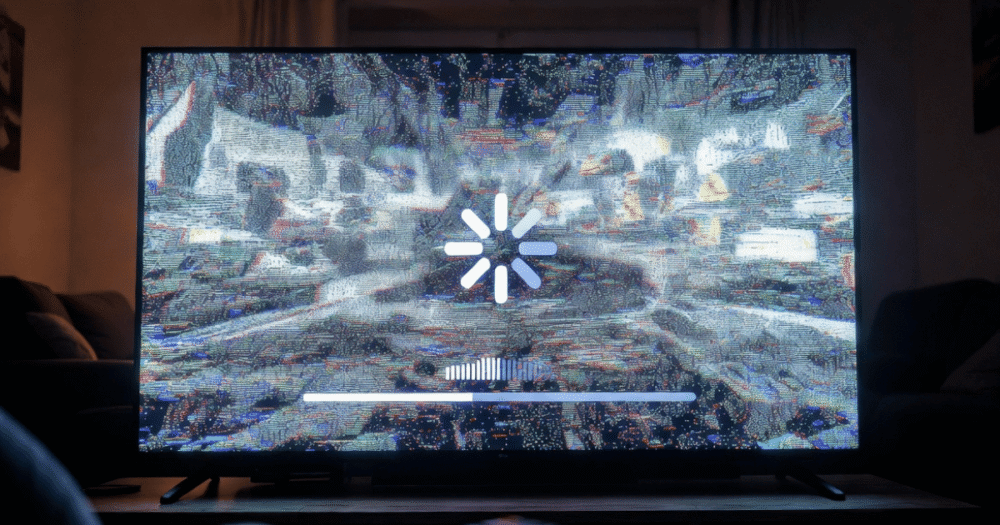
IPTV Buffering Issues: How to Fix Them Before They Cost You Subscribers
Your phone lights up at 8:47 PM. Three messages in sixty seconds. “It’s buffering.” “Mine too.” “What’s going on?”
You have seen this before. IPTV buffering issues do not announce themselves in advance — they arrive mid-match, mid-episode, and mid-patience. For resellers, every buffering complaint is a churn risk. For household subscribers, it is the moment they start wondering whether the service is worth keeping.
Here is what most troubleshooting guides will not tell you: the majority of IPTV buffering issues are not caused by what the customer thinks caused them. The fix is almost never “restart the app.” The fix depends on where in the delivery chain the breakdown is happening — and there are at least six places it can go wrong before the stream reaches a screen.
This guide covers every layer, from the subscriber’s home network all the way back to origin server infrastructure. Whether you are a new reseller diagnosing your first wave of complaints or an operator who has been through multiple enforcement waves, the answers are here.
The Six-Layer Problem: Where IPTV Buffering Issues Actually Start
Before applying any fix, you need to know which layer is failing. Applying the wrong solution wastes time and damages customer trust. IPTV buffering issues originate in one of these six points:
- Layer 1 — Subscriber’s home network: Wi-Fi interference, router congestion, or insufficient bandwidth
- Layer 2 — Subscriber’s device: Underpowered hardware, outdated app, or cache overload
- Layer 3 — ISP throttling: The customer’s internet provider is deliberately slowing streaming traffic
- Layer 4 — DNS poisoning or blocking: AI-driven enforcement has flagged and blocked stream URLs at ISP level
- Layer 5 — Panel or middleware: The reseller’s panel is overloaded, misconfigured, or using expired stream links
- Layer 6 — Origin server infrastructure: The upstream provider’s servers are under-resourced for concurrent load
Most generic guides only address Layers 1 and 2. That is why subscribers follow ten troubleshooting steps and still buffer. Operators who understand all six layers fix complaints in under ten minutes and retain customers who would otherwise cancel.
Pro Tip: When a customer reports buffering, your first question should be “Is it one channel or all channels?” One channel points to Layers 4–6. All channels points to Layers 1–3. This single question cuts your diagnosis time by half.
Fixing IPTV Buffering Issues at the Home Network Level
Layer 1 and Layer 2 fixes resolve a significant portion of subscriber complaints — particularly for household customers who are non-technical. These are also the fastest to diagnose remotely.
Router and Wi-Fi fixes that actually work:
- Move the streaming device within 5 metres of the router, or switch to a wired Ethernet connection. Wi-Fi on 2.4GHz is consistently the number one cause of IPTV buffering issues in domestic settings
- Reboot the router with a 60-second power-off, not a soft reset — this clears ARP tables and refreshes the ISP-assigned IP lease
- Check whether other devices on the same network are running updates, cloud backups, or large downloads simultaneously
- Switch the router’s Wi-Fi band to 5GHz if the device supports it — 5GHz is faster and far less congested than 2.4GHz in most residential environments
Device-level fixes:
- Clear the app cache on Firestick or Smart TV — accumulated cache causes HLS segment buffering even on fast connections
- Uninstall and reinstall IPTV Smarters Pro if cache-clearing does not resolve it
- Check available storage on Firestick — below 500MB free, streaming apps begin dropping frames
Pro Tip: Send new subscribers a simple three-step setup guide when they activate. Resellers who do this report 40% fewer buffering complaints in the first thirty days — because most issues are setup errors, not service failures.
ISP Throttling vs DNS Poisoning: The IPTV Buffering Issues Nobody Talks About
Layers 3 and 4 are where IPTV buffering issues become invisible to standard troubleshooting. The customer’s internet connection tests fine. The speed test shows 100 Mbps. But the stream still stutters. This is either throttling or DNS poisoning — and they require completely different responses.
| Problem | Symptom | Fix |
|---|---|---|
| ISP Throttling | Buffers on IPTV, fast on YouTube/Netflix | Use a VPN or DNS-over-HTTPS |
| DNS Poisoning | Stream suddenly dies mid-session | Switch DNS to 1.1.1.1 or 8.8.8.8 |
| CDN Block | Works on mobile data, fails on home broadband | Provider-side CDN re-route needed |
| Deep Packet Inspection | Intermittent drops on specific ports | VPN with obfuscation layer required |
In 2026, AI-driven ISP blocking has made DNS poisoning a live-event problem rather than a rare occurrence. Major broadcasters are now pushing block lists to ISPs in real time during premium sports streams. If your upstream provider does not rotate stream URLs dynamically or maintain back-up uplink servers on separate network paths, you will have subscribers buffering on blocked streams with no local fix available.
Resellers using quality IPTV services with built-in CDN failover are largely insulated from this — the back-up uplink kicks in before the subscriber notices the primary path was poisoned.
Panel-Side IPTV Buffering Issues: What Resellers Miss
This is the layer most resellers overlook entirely when they are new to the business. The panel itself can generate buffering complaints even when the subscriber’s connection is perfect and the upstream servers are healthy.
Panel-side IPTV buffering issues come from three sources:
1. Expired or dead stream links in the M3U playlist Panels that do not auto-refresh their channel lists serve subscribers stale URLs. The stream technically exists in the EPG but the actual content URL has changed — resulting in a loading spinner that never resolves.
2. Panel credit exhaustion causing connection throttling Some panel configurations reduce stream quality or introduce intentional buffering when a reseller’s credit balance falls below a threshold. Subscribers experience this as progressive degradation — streams that worked yesterday now buffer constantly.
3. Middleware overload during peak hours If your panel provider has not invested in load balancing across their middleware layer, resellers sharing the same panel infrastructure all feel the same degradation simultaneously. Saturday afternoon, 3 PM — every reseller on the same middleware complains at once.
Understanding how an IPTV reseller panel works at a technical level helps resellers identify these patterns before blaming upstream infrastructure — and before customers blame them.
Origin Server Failures and HLS Latency: The Upstream IPTV Buffering Fix
When Layers 1 through 5 are clean and buffering persists, the problem is upstream. Origin server infrastructure is where the stream is born — and it is where IPTV buffering issues are most catastrophic because they affect every subscriber simultaneously.
HLS latency is the key metric here. HLS (HTTP Live Streaming) works by breaking a stream into small segments, typically two to ten seconds long. If the origin server is slow to generate or serve these segments, the player’s buffer runs empty and the viewer sees that wheel spinning.
Healthy HLS latency for live IPTV sits between two and five seconds. Once it climbs above eight seconds, buffering becomes visible to viewers. Above fifteen seconds, streams begin dropping entirely.
What causes origin server HLS latency to spike:
- Concurrent connection overload — too many subscribers on a single transcoding node
- Insufficient back-up uplink servers — one server goes down and there is no immediate failover
- Shared bandwidth infrastructure — origin server bandwidth is split between too many resellers during peak load
The providers that deliver genuine IPTV buffering issue resolution at this level maintain dedicated bandwidth per reseller tier, not pooled bandwidth. When evaluating upstream providers, ask specifically about their CDN architecture during concurrent peak loads — not just their headline uptime percentage.
How Back-Up Uplink Servers Prevent IPTV Buffering Issues at Scale
This is the infrastructure detail that separates professional IPTV operations from amateur ones. A single server, no matter how powerful, will eventually fail. What matters is what happens in the three seconds after it does.
Back-up uplink servers on separate network paths — not just separate IPs on the same host — mean that when enforcement blocks a primary CDN route, or when hardware fails, traffic re-routes without the subscriber experiencing a gap. The stream continues. The customer never calls.
In 2026, the minimum viable infrastructure for a sports-focused IPTV reseller panel looks like this:
- 3 or more back-up servers across different data centre locations
- Automatic failover switching in under three seconds
- Separate upstream network uplinks (not the same ISP backbone)
- Weekly CDN edge node rotation to stay ahead of AI-driven stream signature detection
Resellers choosing panels without this architecture are essentially selling a service that is one enforcement action away from mass buffering complaints. When one route is poisoned, every subscriber on that route buffers simultaneously until a manual fix is applied — which, on a Saturday afternoon, could take hours.
The IPTV reseller services built for scale have this infrastructure as a baseline, not a premium add-on.
Building a Buffering Response System That Retains Customers
Fixing IPTV buffering issues technically is only half the job. The other half is managing the customer relationship during the period between the problem starting and the fix being applied. Resellers who handle this well retain customers even after bad experiences.
A functional buffering response system for resellers includes:
Triage script for first contact: “Is it one channel or all? Does it happen on mobile data too? When did it start?” — these three questions identify the layer within sixty seconds.
Pre-prepared alternative stream links: For high-enforcement channels (premium sports, pay-per-view), always have a secondary stream URL ready before the event starts. Customers who receive a working alternative within two minutes almost never cancel.
Transparent communication: “We are aware of an issue and our provider is switching to a back-up server” is infinitely better than silence. Customers tolerate downtime far better when they know someone is working on it.
Customer churn psychology in IPTV is predictable: subscribers who experience a buffering issue and receive no response within fifteen minutes have a 60–70% chance of not renewing. Subscribers who receive a response within five minutes — even if the issue is not yet resolved — have a retention rate above 80%.
Operators building long-term IPTV businesses treat every buffering complaint as a retention opportunity, not just a technical problem. Panels like those available through britishseller.co.uk’s reseller infrastructure are built with this in mind — including dedicated support channels rather than standard ticket queues.
Frequently Asked Questions
What is the most common cause of IPTV buffering issues?
The most common cause is a weak or congested Wi-Fi connection, particularly on the 2.4GHz band in households with multiple devices. However, resellers should note that ISP-level DNS poisoning and origin server overload during peak hours cause mass simultaneous buffering — which looks identical to a network problem from the subscriber’s side but requires a completely different fix.
How do I fix IPTV buffering issues on a Firestick?
Clear the app cache first — go to Settings, Applications, Manage Installed Applications, select your IPTV app, and clear cache and data. If buffering continues, switch from Wi-Fi to a wired Ethernet adapter, and check that fewer than three other devices are streaming simultaneously on the same router. If the issue persists after these steps, the problem is upstream, not device-side.
Can a VPN fix IPTV buffering issues caused by my internet provider?
Yes, in cases where buffering is caused by ISP throttling of streaming traffic. A VPN encrypts your traffic, preventing your ISP from identifying and slowing IPTV streams specifically. However, a VPN will not fix buffering caused by origin server overload or DNS poisoning — and in some cases, adding VPN encryption overhead on a slow connection can make buffering slightly worse.
Why do IPTV buffering issues only happen during live sports?
Live sports creates synchronised connection spikes — thousands of subscribers connect within ninety seconds of kick-off. Panels using shared bandwidth infrastructure cannot handle this load, causing HLS latency to spike and buffers to empty. It is not the sport itself causing the problem — it is the simultaneous concurrent load exposing bandwidth limitations that are invisible during normal mixed viewing.
As a reseller, how do I know if buffering is my panel’s fault or my customer’s network?
Ask the customer to test the same stream on mobile data (4G/5G, not Wi-Fi). If it buffers on mobile data too, the problem is upstream — panel or origin server. If it works on mobile data but not home broadband, the problem is Layer 1–3: home network, router, or ISP throttling. This single test separates infrastructure problems from household problems every time.
Is it possible to prevent IPTV buffering issues entirely?
Not entirely — but with the right infrastructure choices, visible buffering can be reduced to rare exceptions rather than regular occurrences. The key factors are: choosing a panel with automatic failover under three seconds, ensuring your upstream provider has back-up uplink servers on separate network paths, and advising subscribers on wired connections and 5GHz Wi-Fi setup from day one.
What DNS settings reduce IPTV buffering issues for subscribers?
Switching from the ISP’s default DNS to 1.1.1.1 (Cloudflare) or 8.8.8.8 (Google) resolves buffering caused by DNS poisoning or slow DNS resolution. Change these in the router settings, not just the device, so all household devices benefit. This fix takes under two minutes and resolves a meaningful portion of buffering complaints that appear to be network issues but are actually DNS-related blocks.
What should I look for in a panel to avoid reseller-side IPTV buffering issues?
Prioritise panels with at least three back-up servers on separate uplinks, load balancing across origin nodes, automatic stream URL refresh (so playlists never serve dead links), and a dedicated support escalation path for event-night emergencies. Panels that pool bandwidth across all resellers will always underperform during peak concurrent load — regardless of what their uptime statistics claim.
IPTV Buffering Issues: Reseller Fix Checklist
Run through this before your next subscriber complaint arrives — not after.
Immediate Diagnosis
- Ask “one channel or all channels?” before any other troubleshooting step
- Ask “does it buffer on mobile data?” to separate network from infrastructure
- Check your panel dashboard for active server alerts or credit status issues
- Verify stream URL freshness — confirm your M3U playlist was refreshed within the last 24 hours
Subscriber-Side Fixes to Send Immediately
- Switch to 5GHz Wi-Fi or wired Ethernet connection
- Clear IPTV app cache and data completely, then relaunch
- Change DNS settings on the router to 1.1.1.1 or 8.8.8.8
- Test on an alternative device to isolate hardware vs network
Panel and Infrastructure Checks
- Confirm your panel has failover active and back-up servers online
- Check whether multiple subscribers are reporting the same channel — points to DNS poisoning
- Have a secondary stream link ready for high-risk enforcement channels before events
- Contact your panel provider via direct support (not ticket) if upstream failure is suspected
Retention Actions
- Respond to every buffering complaint within five minutes, even if only to confirm you are investigating
- Offer a short extension or credit for verified service failures — this costs one credit and saves a renewal
- Follow up after the fix is applied to confirm the subscriber’s stream is clean
- Log every buffering incident with timestamp, channel, and resolution method to build pattern awareness over time