
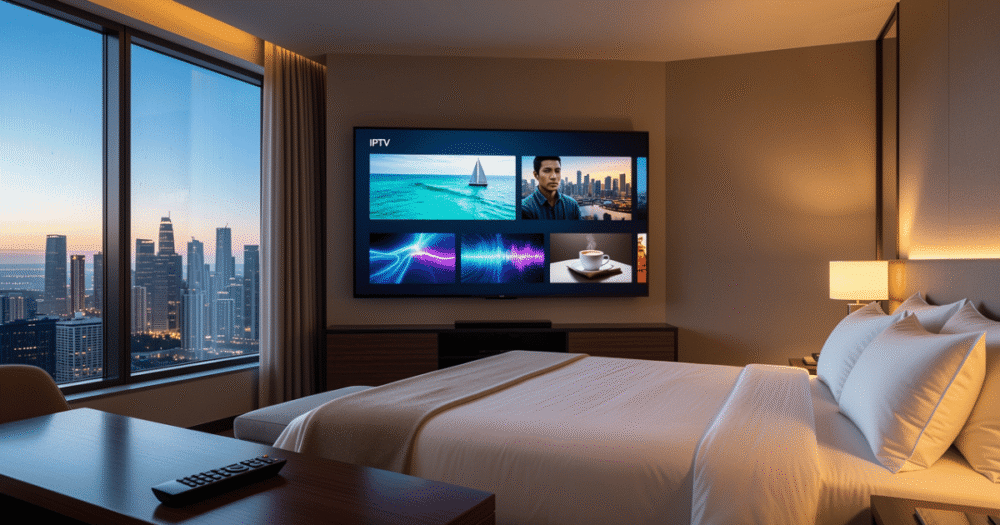
IPTV for Hotels and Guest Houses
A guest checks in after an eleven-hour flight, flips on the TV expecting to unwind, and gets a spinning wheel instead of a channel. That single moment shapes the review they leave three days later, regardless of how clean the room was or how good breakfast tasted. This is the unglamorous reality behind IPTV solutions for hotels and guest houses: the technology is invisible when it works and catastrophic for your reputation when it doesn’t.
Most property owners shopping for IPTV solutions for hotels focus on channel count and price per room. That’s the wrong starting point. The real differentiator is whether the infrastructure behind the panel can handle forty rooms hitting “play” within the same five-minute window during a Champions League night, without one room’s stream cannibalizing bandwidth from the room next door. This guide breaks down what actually matters when evaluating IPTV solutions for hotels, from the technical side resellers rarely explain to the operational side most articles skip entirely.
Why Hospitality IPTV Fails Differently Than Home Setups
A single household streaming on two or three devices is a completely different load profile than a forty-room property where occupancy hits ninety percent during a major sporting event. Home IPTV failures are usually isolated and forgiven. Hospitality failures happen in front of paying guests simultaneously, and they get written into reviews with timestamps.
The most common mistake property owners make is buying a panel sized for the wrong metric. They size for “number of rooms” instead of “concurrent peak streams,” which is a completely different number. A 40-room guest house rarely has 40 simultaneous streams except during specific windows: checkout-adjacent mornings, evening prime time, and major live sports broadcasts. Sizing for average load instead of peak load is how buffering complaints start.
There’s also a blocking issue specific to hospitality that home users never encounter: many properties run on shared commercial ISP connections with aggressive traffic shaping aimed at preventing exactly the kind of sustained high-bandwidth streaming a full hotel needs. Deep packet inspection on commercial lines can throttle IPTV traffic that looks identical to residential streaming from the ISP’s perspective, which catches a lot of property owners off guard during their first peak season.
The Concurrent Stream Math Nobody Explains Upfront
Here’s the calculation most resellers skip when pitching IPTV solutions for hotels: a property doesn’t need bandwidth equal to its room count times stream bitrate. It needs bandwidth equal to its realistic peak concurrency times stream bitrate, plus headroom for failover.
- A 50-room property averaging 70% peak occupancy and 60% simultaneous TV usage during peak hours needs roughly 21 concurrent HD streams provisioned for, not 50
- Each HD stream at standard bitrate needs roughly 5-8 Mbps of stable, low-jitter bandwidth, not burst bandwidth
- 4K content, increasingly requested in higher-tier rooms, needs 25-35 Mbps per stream and should be budgeted separately from standard rooms
- Add 30-40% headroom on top of calculated peak to absorb unexpected spikes (a big match, a holiday weekend, a conference booking out every room)
Pro Tip: Most buffering complaints in hospitality settings trace back to undersized peak provisioning, not a bad panel. Before blaming the IPTV provider, pull your property’s actual concurrent usage logs during your three busiest nights last quarter and compare that number against what your current bandwidth allocation can actually support.
Live Sports Nights Are Where Hotel IPTV Reputations Are Made or Broken
Premium sports streams are simultaneously the biggest guest satisfaction driver and the biggest infrastructure stress test a property will face. A guest house that handles a major tournament night flawlessly earns loyalty. One that buffers during a penalty shootout earns a one-star review with the words “unreliable TV” in the title.
The technical reason live sports nights break under-provisioned setups comes down to HLS latency and synchronized demand. Unlike VOD content, where fifty guests might stream fifty different things at staggered times, live sports creates a demand spike where nearly every occupied room wants the same stream at the same second. That synchronized load is fundamentally different from typical IPTV traffic patterns, and panels that aren’t built with load balancing across multiple servers buckle under exactly this kind of simultaneous demand.
Properties serious about hospitality streaming need a provider whose backend uses load balancing across multiple delivery nodes, not a single server handling every room’s request. Single-server setups work fine on a quiet Tuesday and fail completely during the one night of the month guests actually notice.
Pro Tip: Ask any prospective IPTV provider directly how their infrastructure handles synchronized demand spikes during major live events, not just their average uptime numbers. A provider who can only quote uptime percentage and can’t explain their load balancing approach hasn’t actually thought about hospitality-scale traffic patterns.
Panel Management for Multi-Room Properties
Running IPTV across dozens of rooms isn’t the same operational problem as running it across one household, and treating it that way creates ongoing headaches for property staff who aren’t IT specialists.
| Setup Type | Best For | Key Limitation |
|---|---|---|
| Single shared credential across all rooms | Very small guest houses (under 10 rooms) | No per-room control, one bad stream can affect billing visibility |
| Per-room individual credentials | Mid-size hotels (10-60 rooms) | More setup overhead, but isolates issues to specific rooms |
| Centralized panel with room-level sub-accounts | Larger properties (60+ rooms) | Requires proper initial configuration but scales cleanly |
For most guest houses and small hotels, per-room credentials under a centralized panel structure hit the right balance. When room 14’s stream has an issue, staff can isolate and troubleshoot that single connection without taking down service for the rest of the property. Shared credentials might look simpler on day one, but they make it nearly impossible to tell whether a complaint from room 22 is a device issue, a Wi-Fi dead zone, or a panel-side problem.
What Backup Infrastructure Actually Means for a Property
Every IPTV solutions for hotels pitch mentions reliability, but few explain what backup infrastructure technically involves, which leaves property owners unable to evaluate whether a provider’s promises hold up.
A genuinely resilient setup includes backup uplink servers that activate automatically if the primary server experiences downtime, packet loss, or routing problems. Without this failover layer, any single point of failure, a server outage, a DNS poisoning incident affecting a specific stream source, or an ISP-side routing issue, takes down service for every room simultaneously, exactly when staff are least equipped to explain the outage to frustrated guests at the front desk.
- Confirm whether your provider has geographically distributed backup servers or just a single backup in the same data center as the primary
- Ask what the automatic failover time is, since a 30-second failover is barely noticeable while a five-minute outage during a match generates complaints
- Verify whether failover is automatic or requires manual intervention from your provider’s support team
- Check if your provider can show you uptime logs from the past 90 days, not just a marketing claim
ISP Blocking Trends Property Owners Need to Watch in 2026
ISP-level blocking has shifted significantly, and commercial properties get caught in patterns home users rarely see. Increasingly sophisticated traffic identification, including AI-driven pattern recognition, can flag sustained high-bandwidth streaming sessions from a single commercial IP address as a candidate for throttling, even when nothing about the traffic itself is unusual beyond its volume.
This matters specifically for hospitality because a 40-room property streaming simultaneously looks, from an ISP’s traffic analysis perspective, very different from a single household. Properties relying on a single ISP connection without any routing diversity are more exposed to this kind of throttling than properties with redundant connections or a provider that actively manages around DNS poisoning and routing interference on the backend.
Pro Tip: If your property has experienced unexplained quality drops specifically during high-occupancy weekends, ask your IPTV provider directly whether they’ve seen ISP-side throttling patterns on your specific connection type. Providers who manage large reseller networks usually have visibility into which ISPs in a region are actively throttling streaming traffic and can advise on mitigation before it becomes a recurring guest complaint.
Choosing Between Self-Managed and Fully Managed Hospitality Setups
Property owners generally choose between managing their own panel and credentials directly, or working through a managed setup where a provider handles backend configuration and troubleshooting.
Self-managed setups give more direct control but require someone on staff with enough technical comfort to handle credential resets, troubleshoot room-specific issues, and monitor capacity as occupancy grows. For a small guest house with one tech-comfortable owner-operator, this works fine. For larger hotels with rotating front-desk staff, a self-managed setup often becomes a support bottleneck, since whoever handles IT isn’t always on shift when a guest reports an issue at 9pm.
A properly structured IPTV services setup can shift much of that operational burden off property staff, particularly around credential management and capacity monitoring, while still giving property owners visibility into usage and performance. For properties evaluating what’s actually included in a managed package, the full services breakdown outlines exactly where provider responsibility starts and ends.
What to Ask Before Signing a Hospitality IPTV Contract
Most property owners sign based on price per room without asking the operational questions that determine whether the setup will actually hold up during peak season.
- Ask exactly how concurrent stream capacity is calculated and provisioned for your specific room count and expected occupancy pattern
- Confirm whether backup uplink servers are included standard or sold as a separate add-on
- Get a clear answer on support response time during evenings and weekends, since that’s when hospitality issues actually happen
- Ask whether the provider has existing hospitality clients of similar size, and if possible, request a reference
Pro Tip: Avoid any provider who can’t give you a straight answer on concurrent stream capacity for your specific property size. A provider quoting only “unlimited channels” without addressing concurrent load handling is selling a home-user product repackaged for a commercial pitch.
Reseller Considerations for Properties Reselling Sub-Accounts
Some larger hotel groups and guest house chains manage IPTV access across multiple properties through a sub-reseller structure, distributing panel credits and access across locations rather than buying separately for each site. This setup introduces panel credit management as an ongoing operational task rather than a one-time purchase decision.
Understanding how credits, sub-accounts, and provisioning actually function before committing to a multi-property structure prevents a lot of confusion down the line. The guide on how an IPTV reseller panel works breaks down credit allocation and sub-account management in detail, which is directly relevant for any property group managing more than one location under a shared IPTV arrangement.
Property groups taking this approach should also build in a buffer of unallocated credits for new property onboarding or unexpected room count changes, rather than allocating every credit to existing rooms and creating a scramble when a new wing opens. For UK-based properties specifically researching infrastructure basics like bandwidth requirements and provider comparisons, British Seller’s infrastructure guide covers the foundational technical details worth understanding before signing any commercial contract.
Frequently Asked Questions
What internet speed do I actually need for IPTV solutions for hotels?
It depends entirely on concurrent peak usage, not total room count. A property expecting 20 simultaneous HD streams during peak hours needs roughly 150-200 Mbps of stable bandwidth with headroom, while properties offering 4K in premium rooms need significantly more allocated specifically for those streams.
Can a small guest house with under 10 rooms justify a commercial IPTV setup?
Yes, smaller properties can use simplified setups without the full infrastructure complexity larger hotels need. The key difference is concurrent demand is naturally lower, so provisioning requirements scale down proportionally, though backup failover still matters even at small scale.
Why does my hotel’s IPTV buffer only during big sporting events?
This almost always points to synchronized demand exceeding provisioned peak capacity. Live sports create simultaneous demand across most occupied rooms at once, which is a fundamentally different load pattern than staggered VOD viewing, and under-provisioned setups that work fine normally buckle specifically under this spike.
Is it worth paying more for IPTV solutions for hotels with backup uplink servers included?
Generally yes for any property over 15-20 rooms, since a single point of failure affecting every room simultaneously during peak occupancy creates far more reputational damage than the incremental cost difference between a backed-up and non-backed-up setup.
How do I know if my ISP is throttling my property’s IPTV traffic?
Look for quality drops that correlate specifically with high-occupancy periods rather than time of day generally. If buffering worsens predictably during full-occupancy weekends regardless of which channels are being watched, that pattern suggests ISP-side throttling rather than a provider-side issue.
Can hotel groups manage IPTV across multiple properties from one account?
Yes, through a sub-reseller or multi-location panel structure that distributes credits and access across properties from a centralized account. This requires understanding credit allocation in advance to avoid running short at one property while another sits with unused capacity.
What’s the realistic timeline to get a new hotel property fully set up on IPTV?
Initial setup for a small to mid-size property typically takes one to two weeks including credential provisioning and staff training, though properties with complex networking infrastructure or multiple buildings may need additional time for proper load testing before going live.
Success Checklist
For property owners:
- Calculate realistic peak concurrent streams based on occupancy patterns, not total room count, before selecting a provider
- Confirm backup uplink servers and automatic failover are included, with a specific failover time stated
- Test the setup during a real high-demand night, not just during a quiet onboarding period, before fully committing
For resellers serving hospitality clients:
- Size every hospitality quote around peak concurrency math, not room count, to avoid post-sale complaints
- Proactively explain load balancing and failover during the sales conversation rather than waiting for a property to ask
- Flag known ISP throttling patterns in a property’s region before contract signing, not after the first complaint
For multi-property groups using sub-reseller structures:
- Maintain a buffer of unallocated panel credits for onboarding new properties or unexpected expansion
- Standardize credential structure across properties so staff at any location follow the same troubleshooting process
- Review concurrent usage logs across all properties quarterly to catch capacity issues before peak season exposes them