
IPTV for Restaurants and Sports Bars: 2026 Setup Guide That Works
A sports bar loses its biggest Saturday of the year — a title fight, six screens, a packed room — because one screen froze during the main event and the owner didn’t know who to call. That’s not a hypothetical. That’s a support ticket I’ve personally handled more than once. Commercial IPTV for restaurants and sports bars isn’t the same animal as a home subscription, and treating it like one is how venues end up dark mid-event.
This guide is written from the reseller side of that relationship — what actually breaks, what actually scales, and what actually gets a venue banned before they’ve even opened.
Why IPTV for Restaurants and Sports Bars Breaks Differently Than Home Setups
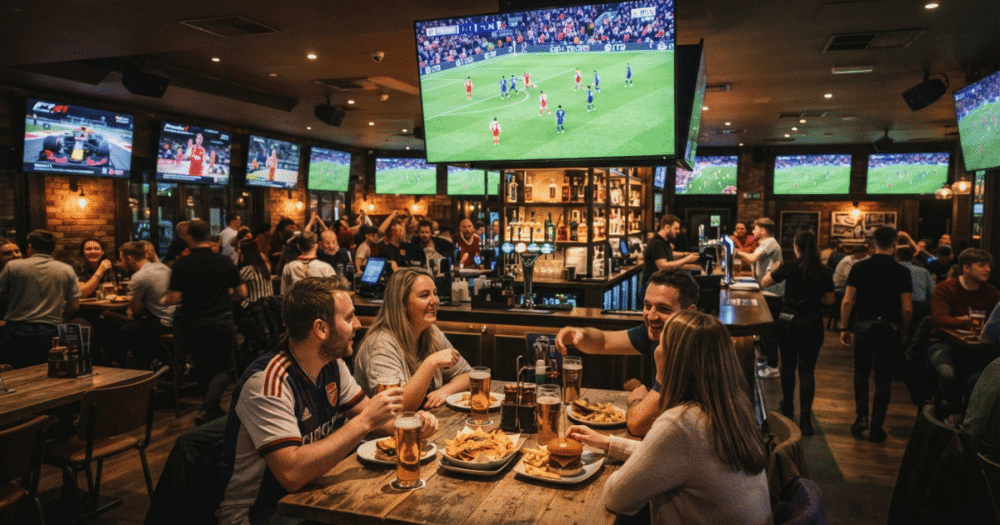
A household running IPTV has one screen, one router, one point of failure. A sports bar running IPTV for restaurants and sports bars might have four, eight, or twelve screens pulling simultaneous streams across a shared commercial connection that’s also running card payments, music streaming, and guest WiFi.
The math changes fast. Each screen is a separate concurrent connection against the panel’s allowance. Most resellers selling into hospitality venues underestimate this and sell a standard reseller package meant for one household per credit — then wonder why the venue calls every Friday night complaining about freezing on screen six.
Bandwidth contention is the first failure point. A single 4K stream needs sustained throughput, not burst speed. Twelve screens means twelve sustained streams competing for the same upload and download ceiling, often on a connection the venue never upgraded because nobody told them they needed to.
Pro Tip: Before quoting any sports bar, ask how many screens run simultaneously during peak hours — not how many screens exist. A twelve-screen venue that only runs four at once during a normal Tuesday has very different bandwidth needs than the same venue on a major fight night.
The second failure point is router hardware. Consumer-grade routers choke under sustained multi-stream loads even when the raw bandwidth is technically sufficient, because they weren’t built to manage that many simultaneous active sessions. This is where resellers who don’t understand networking lose accounts they worked hard to win.
The Licensing Question Venues Don’t Ask Until It’s Too Late
Commercial use changes the legal exposure compared to a household subscription, and this is the conversation most resellers avoid having. A private home subscriber and a venue charging customers for food and drink while major sports content plays on a wall of screens are not treated the same way by rights holders or by venue insurance policies.
This isn’t about scaring a venue out of using IPTV. It’s about making sure the venue owner understands what they’re exposed to, separate from the streaming setup itself. Some venues carry public performance licensing for music and assume it covers video content — it doesn’t. Some assume a personal-use subscription is fine for a commercial space — it usually isn’t, by the terms of whatever service they’re using.
A reseller who walks a venue through this honestly, rather than staying silent, builds a different kind of trust than one who just sells a package and disappears.
- The venue’s insurance policy may have clauses around commercial content licensing that nobody’s read.
- “Personal use only” terms in most service agreements technically exclude paid public venues.
- Rights holders have escalated enforcement against commercial venues specifically, separate from residential crackdowns.
- A venue caught using unlicensed commercial streaming risks more than a service ban — it can mean fines tied to public performance.
Pro Tip: Recommend the venue keep a backup plan — terrestrial broadcast or a secondary licensed source — for marquee events specifically. Not because the primary setup will fail, but because a venue with zero backup during a championship night is one outage away from an empty room and a furious owner.
Multi-Screen Load Balancing: The Part Most Panels Get Wrong
Here’s where infrastructure knowledge actually separates a reseller who keeps venue accounts from one who loses them after the first big event. IPTV for restaurants and sports bars succeeds or fails on load balancing, not on channel count.
A panel that distributes all screens through a single server connection is gambling on that one server’s uptime during the exact hour the venue needs it most. The smarter setup splits screens across multiple backup uplink servers, so if one connection degrades, only a portion of the screens are affected — not the entire venue going dark simultaneously.
This matters more in hospitality than almost anywhere else because the failure is visible. A buffering screen in someone’s living room is private. A buffering screen in a packed sports bar during a goal, a knockout, or a final play is a public, immediate, reputation-damaging event that the owner will remember.
Adaptive bitrate streaming helps here, but only if it’s configured correctly for venue use. A stream that automatically drops resolution to preserve playback during congestion is the right behavior for a single home viewer. For a wall of screens visible to a full room, even a brief resolution drop is noticeable and gets noticed loudly.
Pro Tip: Stagger screen activation times rather than starting all screens simultaneously at opening. Simultaneous connection requests spike server load in the first sixty seconds in a way that staggered starts avoid entirely.
DNS poisoning and ISP-level interference are also a bigger risk for venues than households, because a commercial connection is a more visible, sustained target than a residential one running intermittently. A panel with DNS failover built in — automatically rerouting if the primary path gets blocked — keeps a venue running through interference that would otherwise take a poorly-configured setup offline mid-event.
Pricing Models That Actually Make Sense for Hospitality Accounts
Selling IPTV for restaurants and sports bars on a standard per-household reseller price sheet is a fast way to either undercharge for the infrastructure demand or overcharge for what the venue is actually using. Neither outcome keeps the account long-term.
The better model separates pricing by simultaneous screen count, not just total connections purchased. A venue running four screens at once needs a different tier than one running twelve, even if both technically hold the same number of credits on paper.
Screen-Tier Pricing Comparison:
- Small venue (2–4 screens, moderate peak hours): Standard multi-connection package, single uplink sufficient, lower monthly cost, acceptable risk for non-marquee events.
- Mid venue (5–8 screens, regular sports programming): Requires backup uplink server access, moderate monthly cost increase, load-balanced distribution recommended.
- Large venue (9+ screens, marquee event hosting): Dedicated load-balanced allocation, mandatory backup uplink, premium monthly pricing, priority support response time built into the agreement.
Pricing transparency here protects the reseller as much as the venue. A venue paying a premium tier price has a documented reason to expect premium uptime, which means fewer disputes when something does go wrong — and something eventually will, on any infrastructure, at some point.
Pro Tip: Build a small percentage buffer into hospitality pricing specifically to cover the support time these accounts demand. Venue owners call during business hours, during live events, and expect faster response than a household subscriber checking a Discord server at midnight.
Churn Psychology: Why Venues Cancel Faster Than Households
A household subscriber tolerates the occasional buffering issue because there’s no audience watching them deal with it. A venue owner doesn’t have that luxury, and that difference drives a completely different churn pattern in hospitality accounts.
One bad night during a major event is often enough to lose a venue account permanently, even if the service ran flawlessly for the preceding six months. This is disproportionate compared to household churn, where a single bad night rarely ends the relationship. Resellers who don’t understand this dynamic get blindsided when a long-standing venue account disappears after what seems like one isolated incident.
The fix isn’t promising perfection — no infrastructure achieves that. The fix is communication before, during, and after high-stakes events. A reseller who proactively checks in before a known marquee event, confirms backup uplinks are active, and stays reachable during the event itself builds a different relationship than one who’s invisible until a complaint arrives.
Venues also churn over perceived value mismatch faster than households do. If a venue is paying a premium hospitality rate and experiences the same issues a basic household package would have, they don’t see it as bad luck — they see it as being overcharged for nothing extra. Matching the pricing tier to actual delivered reliability isn’t optional in this segment; it’s the entire retention strategy.
Pro Tip: After any major sporting event, send a brief follow-up to venue accounts — not a sales pitch, just confirmation everything ran smoothly. Venues that hear nothing assume silence means the reseller wasn’t paying attention either way.
Scaling From One Venue to a Hospitality Client Base
Most resellers who land their first sports bar account treat it as a one-off rather than the entry point into a distinct, more lucrative client segment. IPTV for restaurants and sports bars done right becomes a referral engine, because venue owners in the same city know each other and talk shop constantly.
Scaling this segment means standardizing the technical setup process so it’s repeatable rather than improvised per venue. A documented onboarding checklist — screen count audit, peak hour mapping, router capability check, backup uplink assignment — turns a one-time sale into a process that any reseller on the team can execute consistently.
It also means building relationships with a few reliable venues willing to serve as references. A prospective sports bar owner trusts another bar owner’s experience far more than a reseller’s pitch, and a strong reference account is worth more than any marketing material in this niche specifically.
For deeper technical grounding on how reseller infrastructure actually functions behind the scenes — panel architecture, credit systems, and server distribution — how an IPTV reseller panel works is worth understanding before quoting any hospitality account, since venue clients ask harder technical questions than household subscribers typically do.
A resource like britishseller.co.uk is also useful for resellers tracking broader UK market shifts that affect hospitality accounts specifically, since enforcement and pricing trends in this segment don’t always move at the same pace as the household market.
Backup Infrastructure: The Non-Negotiable for Marquee Events
Every point in this guide leads here. A sports bar without backup uplink infrastructure is one outage away from the exact scenario that ends accounts permanently — a packed room, a major event, and a screen that won’t recover.
Backup uplink servers aren’t an upsell add-on for hospitality accounts; they’re the actual product being sold. A venue isn’t paying for channel access — channel access is commoditized and available from a dozen IPTV services. What a venue is actually paying a serious reseller for is the infrastructure reliability that keeps those channels running when it matters most.
This means resellers serving hospitality clients need their own panel relationship to be built on dependable backend infrastructure, not a budget panel chosen purely on price. The margin saved on a cheap panel disappears the first time a marquee event goes dark and a venue account walks. Reviewing reseller services built specifically around multi-server redundancy is the starting point for anyone serious about this segment long-term.
Frequently Asked Questions
Is IPTV for restaurants and sports bars legal to use commercially?
It depends on the service’s terms and the venue’s specific use. Most consumer-facing IPTV subscriptions are written for personal use, and commercial display in a paid venue can fall outside those terms. Venue owners should review their service agreement and insurance policy rather than assume a personal subscription automatically covers commercial use.
How many screens can run on a single IPTV connection?
Each screen requires its own concurrent connection against the panel’s allowance — there’s no single connection that serves multiple screens. A twelve-screen venue needs a package built for twelve simultaneous streams, not a single high-tier household connection, or screens beyond the connection limit simply won’t load.
Why does my sports bar’s IPTV freeze only during big events?
Big events mean more simultaneous viewers across the entire service, not just your venue, which strains shared server infrastructure at the exact peak moment everyone’s watching. A backup uplink server reduces this risk by giving your screens an alternate path if the primary server gets overloaded.
Can I run IPTV for restaurants and sports bars on a standard home WiFi connection?
Technically yes, but it’s not recommended for more than two or three screens. Commercial venues benefit from a dedicated business-grade connection with sufficient sustained upload and download speed, since standard home plans aren’t built for the constant multi-stream demand a venue creates during service hours.
What’s the biggest mistake resellers make selling to hospitality clients?
Pricing hospitality accounts the same as household accounts. Venues need higher concurrent connection limits, backup uplink access, and faster support response — none of which a standard household package includes. Underpricing this segment leads to overloaded infrastructure and accounts that churn fast.
Is it worth offering a backup connection to every sports bar client?
For any venue hosting marquee events, yes. The cost of a backup uplink is small compared to the cost of losing the account after one bad night during a championship game. For smaller venues with low-stakes programming only, it’s a judgment call based on screen count and event calendar.
How do I know if my panel can actually handle multiple sports bar accounts at once?
Check whether the panel offers load-balanced server distribution and backup uplink options, not just a high credit limit. A panel with deep credit allowances but a single server path will struggle the moment several hospitality accounts run simultaneously during the same marquee event.
Do sports bars need a different EPG setup than household subscribers?
Not structurally, but venues often want a curated guide showing only sports and major channels rather than a full household-style EPG, since staff need to find the right channel quickly during service. Some panels support custom EPG curation for commercial accounts specifically.
Success Checklist for Hospitality IPTV Accounts
- Audit actual simultaneous screen usage during peak hours before quoting any price, not just total screen count.
- Confirm the venue’s internet connection is business-grade with sufficient sustained bandwidth for the screen count being sold.
- Assign backup uplink server access to any account hosting marquee or high-traffic events.
- Document a clear conversation with the venue about commercial licensing terms before activation, not after a problem arises.
- Set up staggered screen activation rather than simultaneous startup across all screens.
- Build hospitality-specific pricing tiers tied to simultaneous screen count, not flat per-connection rates.
- Send a proactive check-in before and after every major sporting event the venue is hosting.
- Maintain a documented onboarding checklist so the setup process is repeatable across every new hospitality account.