
IPTV Bandwidth Requirements Explained: The 2026 Reseller Speed Guide
Most people asking about IPTV bandwidth requirements are really asking one of two very different questions. Subscribers want to know why their stream keeps freezing on match night. Resellers want to know how much capacity they need before their server buckles under fifty concurrent connections.
This guide answers both — but it goes further. Because understanding IPTV bandwidth is not just about download speed numbers. It is about stream quality tiers, HLS latency management, upstream provisioning, AI-driven ISP throttling, and what actually happens when your infrastructure runs lean at 9 PM on a Saturday.
These are real problems that have burned real resellers. This article does not theorise. It maps the terrain.
What IPTV Bandwidth Requirements Actually Mean
The term “bandwidth” gets thrown around loosely. In IPTV context, it refers to the sustained data throughput available between the stream origin server and the end-user device — not peak speed, not advertised speed. Sustained throughput. That distinction alone separates smooth playback from disaster.
IPTV streams are delivered primarily over HLS (HTTP Live Streaming) or RTMP protocols. Both require a consistent, uninterrupted data flow. A single dropped packet at the wrong moment causes a rebuffer. On low-latency sports streams, that rebuffer happens mid-goal. Your phone starts ringing immediately.
The bandwidth requirement is not static. It shifts based on:
- Stream resolution (SD / HD / FHD / 4K)
- Codec compression (H.264 vs H.265/HEVC)
- Number of simultaneous connections
- Server-side transcoding overhead
- ISP network congestion at peak hours
Understanding these variables is the foundation of everything else in this guide.
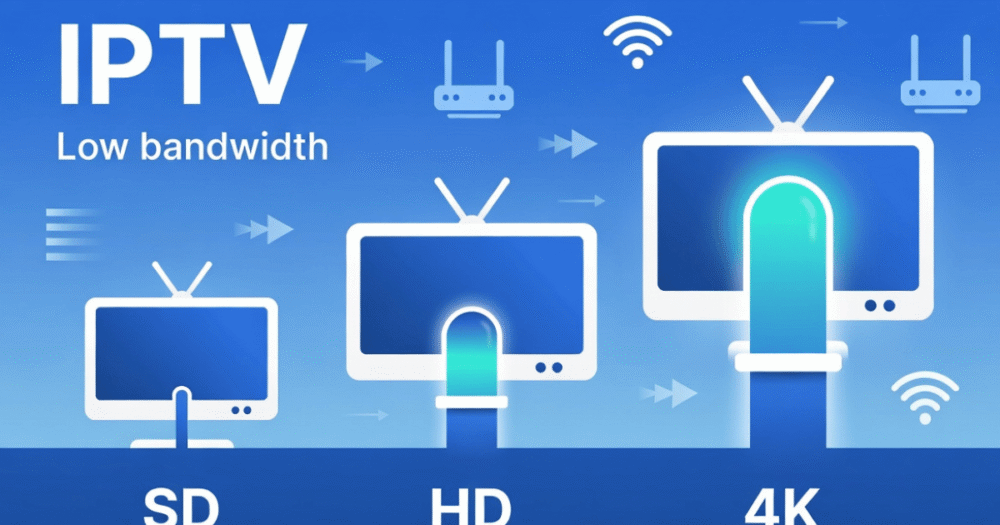
Minimum IPTV Bandwidth Requirements by Stream Quality
Here is where most guides give you a vague table and call it a day. Instead, here are working benchmarks based on how real streams actually perform — not manufacturer estimates.
SD (Standard Definition — 480p): 3–5 Mbps per stream. Functional for catch-up content and secondary devices. Not acceptable for live sports in 2026.
HD (720p): 5–8 Mbps per stream. This is the minimum viable quality for households with multiple viewers. Anything below 5 Mbps on HD causes micro-buffering that users report as “choppy.”
FHD (1080p): 10–15 Mbps per stream. The current subscriber expectation benchmark. Most premium sports streams broadcast at this tier. Your infrastructure needs to sustain this under concurrent load.
4K UHD: 25–40 Mbps per stream. This is where most residential connections begin to struggle. A household running three 4K streams simultaneously needs a minimum of 120 Mbps of sustained download capacity — not 100 Mbps “up to” speed.
Pro Tip: Always calculate your household bandwidth floor using the highest-quality stream being consumed, multiplied by the number of simultaneous devices — then add 20% headroom for background processes, EPG updates, and OS traffic.
Cheap vs Premium Infrastructure: A Real Comparison
| Factor | Cheap Provider | Premium Infrastructure |
|---|---|---|
| Server uplink speed | Shared 1Gbps | Dedicated 10Gbps+ |
| Failover time | Manual (minutes) | Auto-switch (under 3 seconds) |
| Concurrent stream capacity | 500–1,000 | 5,000–50,000+ |
| HLS latency | 8–15 seconds | 2–5 seconds |
| 4K stream reliability | Unstable at peak | Consistent under load |
| ISP block mitigation | None | DNS rotation + backup uplinks |
| Codec support | H.264 only | H.264 + H.265/HEVC |
This is not an academic comparison. Resellers who chose infrastructure based on price alone discover the reality when a major sports event runs concurrently across their subscriber base — and the server melts.
How Concurrent Connections Destroy Under-Provisioned Servers
This is the point where IPTV bandwidth requirements shift from a subscriber topic to a reseller crisis topic.
Each active subscription on your panel is a concurrent stream drawing bandwidth from the upstream server. If you are running 200 active subscribers and each is watching FHD content at 12 Mbps average, that is 2.4 Gbps of sustained outbound throughput demand — simultaneously.
Most entry-level IPTV server setups cannot handle that. What happens:
- HLS latency spikes from 3 seconds to 15+ seconds
- Buffering appears on premium streams first (highest bitrate)
- Load balancing fails if not properly configured
- The entire server becomes unresponsive — not just one stream
This is why how IPTV reseller panels work matters as much as the raw bandwidth number. A well-architected panel with proper load balancing distributes concurrent streams across multiple server nodes so no single uplink becomes a chokepoint.
Pro Tip: During major live events — championship finals, pay-per-view nights — your concurrent connection count can spike 3–5x above your normal average. Size your infrastructure for the peak, not the average, or prepare to handle mass ticket requests manually.
H.265 vs H.264: How Codec Choice Changes Your IPTV Bandwidth Requirements
This is an area many resellers ignore entirely — and it directly affects how much bandwidth your infrastructure needs to provision.
H.264 (AVC) remains the most widely supported codec across legacy devices — older Smart TVs, basic Firestick generations, certain set-top boxes. It works. But it is inefficient. An H.264 FHD stream requires 10–15 Mbps to maintain stable quality.
H.265 (HEVC) delivers the same FHD quality at roughly half the bitrate — around 5–8 Mbps. For a reseller running 500 active subscribers on FHD content, switching from H.264 to H.265 across the infrastructure can cut upstream bandwidth demand nearly in half.
The catch: not all devices support H.265 hardware decoding. Forcing H.265 on incompatible devices causes CPU overload, stuttering, and eventual playback failure. Subscribers blame you. They do not diagnose codec incompatibility.
The operational solution is a dual-stream architecture — H.265 served by default, with H.264 fallback for devices that request it. This requires more server-side configuration but dramatically reduces your total IPTV bandwidth requirements at scale.
AI-Driven ISP Throttling: The 2026 Bandwidth Threat Resellers Cannot Ignore
The enforcement landscape has fundamentally changed. ISPs are no longer relying on static IP blacklists. In 2026, major ISPs deploy deep packet inspection combined with AI-pattern recognition to detect IPTV stream signatures — specifically HLS traffic patterns, port behaviour, and stream metadata fingerprints.
What this means practically: even if your server IP is clean, traffic patterns from a large active subscriber base can trigger automated throttling. This manifests as:
- Selective bandwidth reduction on IPTV ports (8080, 8088, commonly used Xtream Codes ports)
- DNS poisoning of stream domains
- Connection reset injections mid-stream during live events
- Geo-targeted throttling during peak broadcast windows
Resellers operating without backup uplink servers are particularly exposed. When a primary uplink gets throttled or blocked, every subscriber on that node experiences simultaneous degradation. With backup uplinks on separate ASNs and IP ranges, automated failover can redirect traffic before most subscribers notice.
The IPTV services infrastructure that survives 2026 enforcement is built around redundancy from day one — not retrofitted after the first major block.
Calculating IPTV Bandwidth Requirements for a Reseller Panel
Let us do this properly, because guesswork at scale is expensive.
Step 1 — Establish your average stream quality. Survey your subscriber base or check panel analytics. If most households run FHD, use 12 Mbps as your per-stream figure.
Step 2 — Identify your peak concurrent rate. Typical IPTV subscriber bases have 30–40% concurrency during prime time. 500 subscribers means approximately 150–200 concurrent streams at 9 PM on a match night.
Step 3 — Calculate base load. 200 streams × 12 Mbps = 2,400 Mbps (2.4 Gbps) base requirement.
Step 4 — Apply the event multiplier. During major live sports events, concurrency can spike to 70–80% of your base. 500 × 0.75 = 375 streams × 12 Mbps = 4,500 Mbps (4.5 Gbps).
Step 5 — Add headroom. Apply a 25% overhead buffer for transcoding, EPG delivery, panel API calls, and failover routing. Final provisioning figure: approximately 5.6 Gbps for a 500-subscriber panel at peak.
This is why resellers who budget for a 1 Gbps server and sell 500 subscriptions are setting themselves up for a catastrophic Saturday evening. You can review solid reseller infrastructure benchmarks through britishseller.co.uk’s reseller panel breakdowns to cross-reference your own capacity planning.
Home Network IPTV Bandwidth Requirements: What Subscribers Get Wrong
Subscribers consistently blame the IPTV provider when the problem is their own home network. Understanding this saves resellers dozens of support tickets per month.
A household running a 100 Mbps broadband connection sounds sufficient. In reality:
- Smart TVs, phones, laptops, tablets, and smart home devices all share that pool
- WiFi overhead reduces usable throughput by 20–40% compared to wired connections
- ISP “up to” speeds are rarely the sustained speeds available during evening peak hours
- Router QoS settings default to equal priority — IPTV streams compete with file downloads, video calls, and gaming simultaneously
The practical advice: subscribers watching 4K IPTV content should be on a wired Ethernet connection where possible, with QoS configured to prioritise streaming traffic. For FHD multi-device households, a minimum of 50 Mbps of clean, sustained throughput is the realistic floor — not the advertised ceiling.
Pro Tip: Create a simple onboarding checklist for new subscribers covering: wired connection recommendation, router restart protocol, and VPN advisory. Resellers who do this reduce first-week support contacts by a measurable margin.
Why Backup Uplink Servers Are Non-Negotiable for IPTV Bandwidth Stability
A single-server IPTV setup is not an infrastructure strategy. It is a countdown timer.
Every production-grade IPTV operation requires at minimum three server nodes: a primary stream server, a secondary failover, and an emergency third node maintained on a separate data centre and ASN. The logic is straightforward — when the primary gets hit by DNS poisoning, ISP blocking, or hardware failure, automatic failover routes subscriber connections to the secondary within seconds.
Platforms built around multi-server failover — switching in under three seconds according to operational benchmarks — are not providing a luxury feature. They are providing the minimum viable infrastructure standard for a commercial reseller operation.
Without this redundancy, a single enforcement action or hardware event eliminates your entire subscriber base simultaneously. Recovery time on a single-server setup is measured in hours. Revenue and subscriber retention losses are measured permanently.
Check the IPTV reseller services available to you and specifically verify multi-server failover as a baseline requirement before committing to any panel.
Frequently Asked Questions
What is the minimum IPTV bandwidth requirement for a single HD stream?
For a stable HD stream at 720p, you need a minimum of 5 Mbps of sustained download speed. Below that threshold, micro-buffering becomes noticeable — particularly on fast-moving content like live sports. Always account for other devices on the same network competing for bandwidth simultaneously.
How do IPTV bandwidth requirements change for a 4K stream?
A single 4K UHD stream requires between 25 and 40 Mbps of sustained throughput. If a household runs three simultaneous 4K streams, the network needs to sustain at least 120 Mbps of clean download capacity — not peak or advertised speed, but real-world sustained throughput.
How many Mbps does an IPTV reseller need per 100 active subscribers?
If subscribers are primarily on FHD content at 12 Mbps average, 100 concurrent subscribers require approximately 1.2 Gbps of upstream server capacity as a base figure. Add 25% headroom for transcoding and failover overhead, bringing the practical provisioning figure closer to 1.5 Gbps minimum.
Can ISPs detect and throttle IPTV bandwidth in 2026?
Yes, and the methods have become significantly more sophisticated. AI-driven deep packet inspection can now identify HLS traffic patterns, stream fingerprints, and port behaviour associated with IPTV distribution. This leads to selective throttling or DNS poisoning rather than outright blocking — making it harder to diagnose and easier to misattribute as server-side issues.
Why do IPTV streams buffer even with fast broadband?
Fast broadband does not guarantee buffer-free IPTV. Common causes include WiFi signal degradation reducing real throughput, router QoS settings deprioritising streaming traffic, ISP throttling on IPTV-associated ports, and server-side overload during peak concurrent demand. A wired Ethernet connection and a router with properly configured traffic prioritisation resolve most household-level buffering complaints.
Is H.265 better than H.264 for reducing IPTV bandwidth requirements?
Yes, significantly. H.265 (HEVC) delivers equivalent video quality at roughly half the bitrate of H.264. An FHD stream requiring 12–15 Mbps on H.264 can be delivered at 5–8 Mbps on H.265. For resellers managing large subscriber bases, this codec difference directly reduces upstream bandwidth demand and infrastructure costs at scale.
What happens to IPTV bandwidth during a major live sports event?
Peak concurrency during major live events typically reaches 70–80% of a reseller’s total subscriber base, compared to 30–40% during normal evening hours. This 2–3x increase in simultaneous streams can overwhelm under-provisioned servers, causing HLS latency spikes, buffering across all quality tiers, and in severe cases, total server unresponsiveness. Infrastructure must be sized for peak events, not average usage.
How does a reseller identify if buffering is a bandwidth problem or a server problem?
Test a single stream on a device using a direct wired Ethernet connection during off-peak hours. If playback is clean at that moment but degrades during evenings or events, the issue is server-side load or ISP throttling. If buffering persists during off-peak on a wired connection, the problem is localised to the subscriber’s network or device. This triage step alone resolves most support escalations.
Reseller Success Checklist: IPTV Bandwidth Requirements in Practice
Use this before onboarding your next batch of subscribers or upgrading your panel capacity.
Infrastructure Audit — Confirm your upstream server provisioning covers 75% concurrency at your peak stream quality tier, plus 25% overhead — Verify multi-server failover is active and tested — not just configured on paper — Confirm backup uplinks sit on separate ASNs and IP ranges, not the same data centre
Codec Configuration — Enable H.265 as default stream delivery where device compatibility allows — Maintain H.264 fallback for legacy device segments in your subscriber base — Document which subscriber device types are running which codec to anticipate support patterns
ISP Threat Mitigation — Rotate DNS entries regularly — static stream domains are the fastest target for DNS poisoning — Monitor for AI-pattern throttling using traffic analysis tools — unexpected latency spikes during peak hours are the first signal — Ensure panel credits and stream credentials rotate on a schedule that does not expose patterns to automated detection
Subscriber Onboarding — Deliver a one-page connection guide covering wired Ethernet recommendation and basic QoS setup — Set clear expectations on 4K requirements: minimum 50 Mbps sustained, wired preferred — Establish a triage script for support contacts distinguishing network-side from server-side issues
Scaling Triggers — When monthly concurrency averages exceed 40% of your total subscriber base during non-event windows, begin infrastructure expansion planning — Do not wait for a degraded event night to trigger an upgrade — by then the damage is already done