
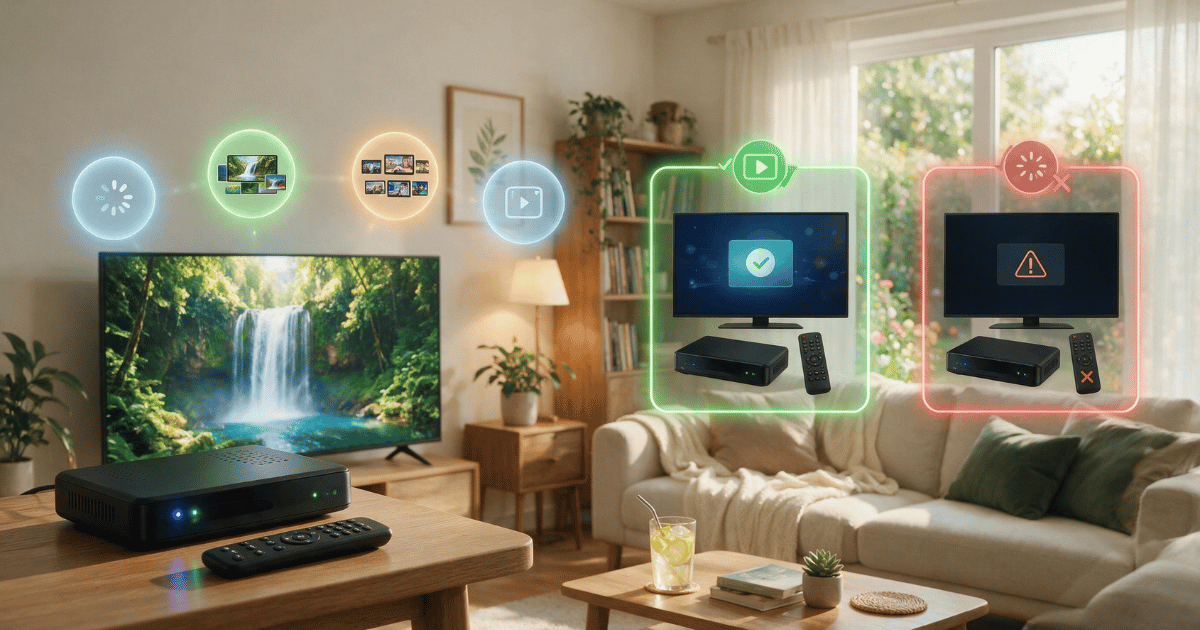
Testing IPTV quality before committing to a full plan comes down to checking four things during any trial period: stream stability under load, channel and EPG accuracy, how the service behaves during peak hours, and how quickly support responds to a real problem. Skipping this step is how most subscribers end up locked into a year-long plan that buffers every Saturday afternoon. This guide walks through exactly what to test, in what order, and what the results actually tell you.
Why Testing IPTV Quality Matters More Than Price
Price comparisons are easy. Anyone can put three plans side by side and pick the cheapest one. Testing IPTV quality before committing to a full plan is harder because it requires actually watching the service under realistic conditions, not just during a quiet weekday morning when almost any provider looks fine.
The gap between “looks fine during a quick check” and “holds up during a Friday night” is where most subscriber complaints come from. A panel can run perfectly for ten minutes of casual browsing and still collapse the moment several household devices are streaming HD content at once. Testing IPTV quality properly means recreating that pressure deliberately, rather than waiting to discover it after the annual plan is already paid for.
Pro Tip: Run your test during the exact time slot you’ll actually watch most often. A morning test tells you almost nothing about how the service performs during evening peak hours, when servers are under the heaviest concurrent load.
There’s also a reseller angle worth understanding. Sub-resellers who test IPTV quality on a small trial batch of credits before buying a larger panel allotment avoid the much costlier mistake of reselling instability to their own customers. The testing habit protects both ends of the supply chain.
Setting Up a Fair Trial Environment
Before any meaningful test can happen, the environment needs to be consistent. Testing IPTV quality on an unstable home network and blaming the provider is a common mistake that skews the whole evaluation.
Start with a wired connection if at all possible. Testing over Wi-Fi introduces variables that have nothing to do with the IPTV service itself, like router distance or interference from other devices on the same band. A wired Ethernet connection from the router directly to the streaming device removes that variable entirely and gives a cleaner read on the panel’s actual performance.
Second, test on the same device you intend to use long-term. A phone screen hides quality issues that become obvious on a 55-inch television. If the plan is meant for a living room Smart TV, the test needs to happen on that Smart TV, not on a laptop browser tab.
Pro Tip: Close every other streaming app and pause downloads on the network during the test window. Bandwidth competition from unrelated apps is one of the most common reasons a perfectly good IPTV panel looks unstable during evaluation.
Checking Stream Resolution and Bitrate Consistency
Resolution claims on a sales page and resolution delivered in practice are frequently two different things. Testing IPTV quality means confirming the advertised 1080p or 4K stream actually holds that resolution once real traffic hits the server, not just during the first thirty seconds of playback.
The best way to check this is to pick three or four channels spanning different categories: a major sports channel, a general entertainment channel, a news channel, and one lesser-viewed niche channel. Watch each for at least ten minutes. A resolution drop that only appears on the high-demand sports channel during a live event is telling you something different than a drop that happens across every channel simultaneously.
| What You’re Testing | Good Sign | Warning Sign |
|---|---|---|
| Resolution consistency | Stable picture across a 10-minute window | Frequent quality steps down mid-stream |
| Bitrate on live sports | Holds steady during high-action moments | Pixelation during fast camera movement |
| Startup time | Channel loads in 3-5 seconds | Consistent 15+ second delays |
| Cross-device consistency | Same quality on phone, TV, and box | Noticeably worse on one device type |
A stream that starts sharp and gradually degrades over several minutes usually points to server-side congestion rather than a one-off glitch, which is a meaningful distinction when testing IPTV quality before locking into twelve months of service.
Testing Buffering Behavior Under Real Conditions
Every IPTV services buffers occasionally. That’s a normal part of how streaming infrastructure works, not necessarily a red flag on its own. What actually matters when testing IPTV quality is how often buffering happens and how quickly it resolves.
An occasional two-second pause that clears on its own is expected behavior and shouldn’t disqualify a provider. Buffering that requires switching channels back and forth, or that recurs every few minutes on the same channel, points to a deeper capacity issue that’s unlikely to improve after the trial period ends.
The most useful test here is deliberately stressful: stream on two or three devices in the same household simultaneously during a busy evening window, then compare buffering frequency to a single-device test done earlier. A big gap between those two results is a strong signal about how the panel handles concurrent connections, which matters enormously for households with more than one active viewer.
Pro Tip: Keep a simple tally during testing rather than relying on memory afterward. Something as basic as a tally mark each time a channel buffers for more than five seconds gives a far more honest picture than a vague impression at the end of the week.
Verifying EPG Accuracy and Channel Organization
The Electronic Program Guide is easy to overlook during testing because it doesn’t affect picture quality directly, but a broken or outdated EPG makes daily use frustrating in a way that eventually feels just as bad as buffering. Testing IPTV quality should always include a check of whether the guide reflects what’s actually airing.
Cross-reference a handful of channels against their real broadcast schedules. An EPG that’s several hours off, or one that shows generic placeholder titles instead of actual program names, suggests the provider isn’t maintaining that layer of the service carefully, even if the video stream itself looks fine.
Channel organization matters just as much. A logical, well-categorized channel list makes a service feel professional; a dumped, unsorted list of hundreds of channels with duplicate entries is a sign of a rushed panel setup, and often correlates with less attention paid elsewhere too.
Evaluating Support Responsiveness Before You Commit
Testing IPTV quality isn’t only about the technical stream. It’s also about what happens when something goes wrong, because something eventually will. A trial period is the ideal, low-stakes time to find out how support actually behaves, before a real problem happens after the full plan is already paid for.
Send a genuine question during the trial rather than a vague “just checking in” message. Ask something specific, like why a particular channel was buffering the night before, and pay attention to how long the reply takes and whether it actually addresses the issue or offers a generic response.
Steps to evaluate support during a trial:
- Send a specific, detailed question within the first two days
- Note the exact response time, not just whether a reply eventually came
- Ask a follow-up question to see if the conversation stays coherent
- Check whether replies come from a real person or a scripted macro
- Test contact during a non-peak hour and again during a peak hour
A provider that responds quickly and specifically during a free trial, when there’s little financial incentive to impress a customer yet, is usually a good sign of what ongoing support will look like after the full plan begins.
Reading the Results Before You Commit
Once testing is done, the results need to be weighed together rather than judged on any single factor in isolation. A provider with occasional minor buffering but fast, helpful support may be a far better long-term choice than one with a flawless stream but a support inbox that goes silent for days.
Testing IPTV quality before committing to a full plan is ultimately about pattern recognition across a short window of time, used to predict a much longer relationship with the service. Isolated glitches happen everywhere; consistent patterns during a focused test are what actually predict the next twelve months.
For sub-resellers evaluating a panel supplier before committing to a larger credit purchase, the same framework applies at a slightly different scale. A small trial batch of test credits, used across a handful of end customers, reveals far more about a panel’s real capacity than any sales conversation ever will.
Pro Tip: Document the trial results in a simple note before deciding. Memory tends to smooth over problems once a few good days follow a rough start; a written record keeps the decision honest.
Frequently Asked Questions
How long should an IPTV trial period last before deciding?
A minimum of three to five days is usually enough to catch both a quiet weekday and a busy evening. Anything shorter risks missing peak-hour behavior entirely, which is often where the real differences between providers show up.
What’s the most reliable single test for IPTV quality?
Testing during peak evening hours on the actual device intended for long-term use. A quiet-hour test on an unrelated device tells you very little about the experience you’ll actually have once the full plan begins.
Should occasional buffering during a trial be a dealbreaker?
Not necessarily. Occasional short buffering is normal across nearly all streaming infrastructure. Frequent or prolonged buffering that recurs across multiple sessions is the pattern actually worth worrying about.
Is EPG accuracy really worth testing separately from stream quality?
Yes. A provider can have a technically strong video stream while still running a poorly maintained program guide. Both affect daily usability, just in different ways, so both deserve a dedicated check.
How important is support response time compared to stream quality?
Very important, and often underrated. Stream quality issues happen to every provider eventually; how quickly and clearly a provider resolves them during a trial is a strong predictor of the experience after committing to a full plan.
Can testing on a phone accurately predict Smart TV performance?
Not reliably. Screen size, device processing power, and app optimization all differ significantly between phones and televisions. Testing IPTV quality should happen on whichever device will actually be used most often long-term.
Do sub-resellers need a different testing approach than individual subscribers?
The core method is similar, but sub-resellers should test with a small batch of credits across multiple end-user connections rather than a single device, since panel behavior under broader concurrent load is what actually matters for resale.
What should I do if the trial looks great but the first week after committing is rough?
Reach out to support immediately with specifics rather than assuming it will resolve itself. A sudden shift from a strong trial to a rough first week is worth raising directly, since it may reflect a temporary capacity issue rather than a permanent decline.
Success Checklist
For Subscribers:
- Test on a wired connection and on the actual device you’ll use long-term
- Watch at least three to four channels across different categories for 10+ minutes each
- Deliberately stream on multiple devices at once during peak evening hours
- Cross-check EPG listings against real broadcast schedules
- Send a specific support question early in the trial and track response time
- Keep a written record of results instead of relying on memory
For Resellers:
- Offer trial credits that genuinely reflect peak-hour server load, not a throttled preview
- Encourage new subscribers to test during evening hours before committing
- Track your own panel’s concurrent-connection performance regularly, not just at sign-up
For Sub-Resellers:
- Test a small batch of trial credits across multiple end-user connections before a larger panel purchase
- Document peak-hour stability separately from quiet-hour results when evaluating a supplier
- Build trial testing into onboarding so new customers set realistic expectations from day one