

If you have ever set an alarm for a live world event only to find the stream started an hour earlier, you already understand why IPTV time zones cause more support tickets than almost any other issue on a UK panel. Between GMT, BST, and the dozen or so regions where major tournaments, ceremonies, and broadcasts originate, viewers and resellers alike lose track of the actual kickoff. This guide breaks down exactly how IPTV time zones work, how to read an EPG correctly, and how resellers can stop fielding the same “is this the right time?” message every single week.
Why IPTV Time Zones Confuse Even Experienced Viewers
The core issue with IPTV time zones is not the technology, it is the assumption that every provider displays local UK time by default. Many panels pull raw feed data from source regions in Central Europe, the Middle East, or the Americas, and that timestamp does not always convert automatically. A subscriber in Manchester sees “20:00” on their guide and assumes British Summer Time, when the source data was actually stamped in Central European Time, one hour ahead. Multiply that across dozens of channels and hundreds of live world events per month, and you get a steady stream of confused messages landing in reseller inboxes.
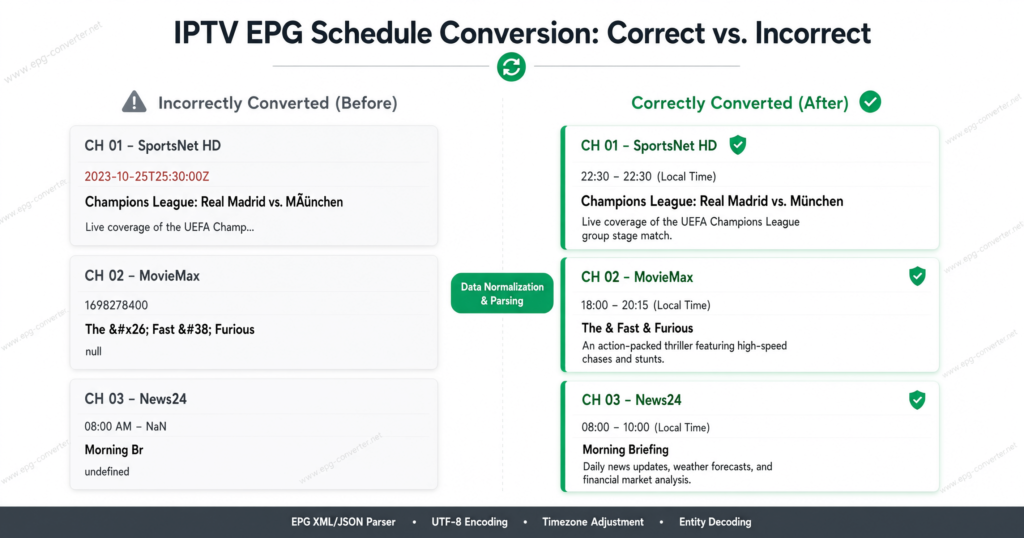
Understanding IPTV time zones properly means understanding where the EPG (Electronic Programme Guide) data originates. Most quality panels source EPG feeds from regional aggregators, and those aggregators do not always normalise to GMT or BST before pushing data downstream. This is why two subscribers using the same panel but different apps can see two different start times for the identical event.
Pro Tip: Always check whether your panel’s EPG source explicitly states “UK localised” or “GMT normalised” in its documentation. If it does not say so, assume conversion errors are likely and build in a 15-minute buffer before any live world event.
How GMT and BST Actually Affect Your IPTV Streaming Schedule
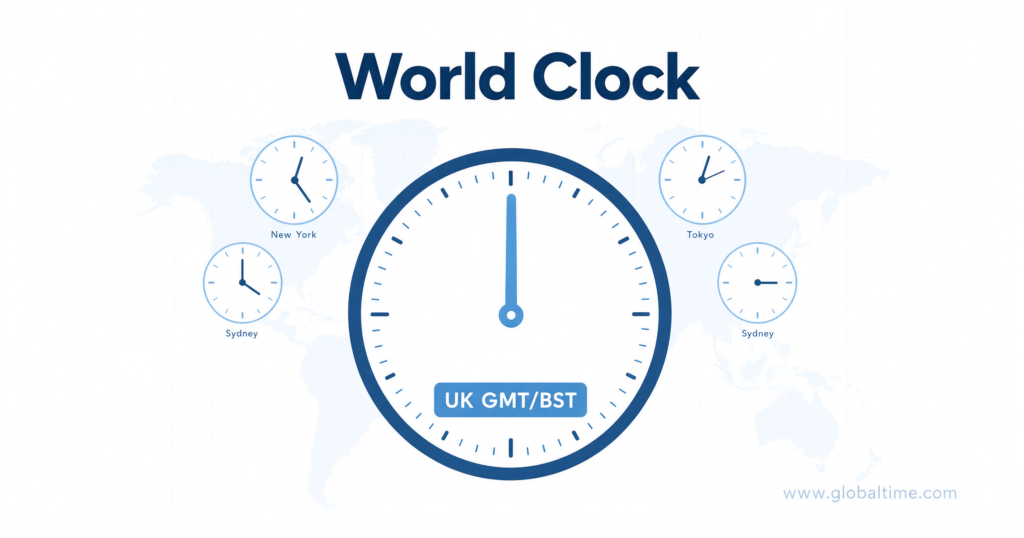
The UK is one of a small number of major streaming markets that shifts its clock twice a year, and this is where most IPTV time zone errors originate. From late March to late October, the UK runs on British Summer Time, which is GMT+1. For the rest of the year, it reverts to GMT. Panels and apps that hardcode GMT year-round will show every event one hour early during BST months, which is exactly when most major outdoor tournaments and summer world events take place.
This single clock shift explains a disproportionate number of the “buffering isn’t the problem, the time is wrong” tickets that resellers receive between March and October. A well-configured IPTV time zone setting should auto-adjust with the UK’s daylight saving change, but many budget Xtream Codes panels do not build this logic in, leaving the correction to the subscriber’s device or app settings instead.
Reading an EPG Without Getting the Time Wrong
Most subscribers never open their EPG settings menu, which means the default time zone their app ships with is the one they are stuck with. On Android-based apps this is usually pulled from the device’s system clock, but on some Smart TV and Firestick IPTV apps, the time zone is hardcoded into the app itself and has to be changed manually inside the app, not the device.
- Check the device’s own system time zone first, since this is the setting most IPTV apps inherit by default
- Open the app’s internal settings menu and look specifically for a time zone or region field, separate from the device clock
- Cross-reference one known live world event against an independent published schedule before trusting the in-app EPG fully
- If the app allows manual UTC offset entry, set it to GMT+0 in winter and GMT+1 during BST months
- Restart the app after any time zone change, since many EPG caches do not refresh until the app is closed and reopened
Getting this sequence right is the fastest way to eliminate recurring IPTV time zone complaints without touching the panel side at all.
Comparison: Auto-Adjusting vs Manual Time Zone Panels
| Feature | Auto-Adjusting Panel | Manual Time Zone Panel |
|---|---|---|
| BST/GMT switch handling | Automatic, no subscriber action needed | Requires manual update twice a year |
| EPG accuracy for live world events | High, syncs with source feed changes | Depends on reseller diligence |
| Support ticket volume | Noticeably lower | Higher during clock-change weeks |
| Setup complexity for resellers | Slightly higher initial configuration | Simpler initially, costlier long-term |
Why Live World Events Are the Biggest Time Zone Stress Test
Ordinary daily programming rarely triggers time zone complaints because subscribers are not watching the clock closely. Live world events are different. When a global broadcast originates from a region five or six hours removed from the UK, the margin for error shrinks to almost nothing, and any IPTV time zone miscalculation becomes immediately obvious the moment the stream either has not started or is already halfway through.
This is also where panel infrastructure quality becomes visible to the end subscriber in a way it normally is not. A panel running on a single uplink with no backup server is far more likely to also be running outdated or unmaintained EPG data, because the same operational shortcuts that create downtime tend to create scheduling drift too. Resellers using dependable infrastructure through IPTV services generally see fewer of these compounding issues because EPG accuracy and server stability are maintained together rather than treated as separate problems.
Pro Tip: For any event broadcast from more than three time zones away, publish the UK kickoff time directly in your channel description or group chat rather than relying on subscribers to calculate it themselves. This single habit reduces “wrong time” complaints dramatically during major tournament windows.
Building a Time Zone Cheat Sheet for Your Subscriber Base
Resellers who proactively communicate converted times see measurably fewer disputes than those who leave subscribers to work it out. A simple recurring cheat sheet, sent ahead of any major live world event, listing the source region time alongside the UK-converted time, removes the guesswork entirely. This does not need to be complicated. A single line such as “Source region 21:00, UK time 20:00 (GMT)” attached to a reminder message is often enough to prevent an entire wave of tickets.
Sub-resellers running their own subscriber lists benefit even more from this practice, since they are often managing dozens of individual relationships without the support infrastructure a larger panel has. A five-minute weekly habit of checking upcoming world events and converting the times in advance pays for itself many times over in reduced churn.
How Panel Credits and Server Location Interact with Time Zone Accuracy
An often-overlooked factor in IPTV time zone accuracy is where the panel’s servers are physically located and how that location relates to the source feed. Panels running servers closer to the source broadcast region sometimes receive EPG updates faster, which reduces the lag between a schedule change and that change reflecting correctly in the subscriber’s guide. This is separate from the streaming server itself, which should ideally sit closer to the UK for latency reasons, but the EPG data pipeline benefits from proximity to source.
This is one of the less obvious reasons experienced resellers evaluate panel credit systems carefully. A resource explaining exactly how an IPTV reseller panel works can help newer resellers understand why some providers charge more for panels with better EPG normalization built in, since that engineering work happens upstream of the subscriber-facing app.
Handling Time Zone Disputes as a Reseller
Every reseller eventually gets a message insisting the stream started at the wrong time, even when the panel data was correct and the subscriber’s device clock was the actual problem. Handling this calmly and with a repeatable process protects both the relationship and your own time.
- Ask the subscriber to screenshot their device’s system time and time zone setting first, before troubleshooting the panel
- Confirm which app they are using, since time zone handling varies significantly between apps on the same panel
- Compare the disputed event’s UK kickoff time against an independent published source before assuming the panel is at fault
- Document recurring time zone issues by app so you can identify a pattern rather than treating each ticket as isolated
- Where a genuine EPG delay is confirmed, communicate transparently rather than deflecting, since subscribers tolerate honest explanations far better than silence
Seasonal Clock Changes and Why March and October Matter Most
The two weeks surrounding the UK’s clock change consistently produce the highest volume of IPTV time zone complaints of any point in the year. Subscribers forget the change happened, apps that rely on manual updates lag behind, and even auto-adjusting panels occasionally experience a brief window of inconsistency while every layer of the system catches up.
Experienced resellers treat these two windows as scheduled maintenance periods rather than waiting for tickets to arrive. Sending a proactive reminder a few days before each clock change, confirming that the panel and app settings are correct, consistently reduces the support burden during what would otherwise be the busiest week of the quarter.
Pro Tip: Keep a recurring calendar reminder for the last Sunday in March and the last Sunday in October. Use that window to manually verify a handful of live world event listings against independent sources before subscribers start reporting discrepancies themselves.
Frequently Asked Questions
Why do my IPTV time zones show the wrong hour during summer?
This almost always relates to British Summer Time not being applied. If your panel or app has not adjusted for the GMT+1 shift, every listing will appear an hour earlier than the actual UK broadcast time until the setting is corrected manually or the app updates automatically.
Can I manually set my IPTV time zone instead of relying on auto-detection?
Yes, most apps allow a manual UTC offset entry in their settings menu, separate from the device’s system clock. This is useful when the app’s automatic detection is unreliable, though it does require remembering to update it twice a year for the clock change.
Is it normal for different apps on the same panel to show different times?
It is more common than most subscribers expect. Each app handles EPG data and time zone conversion independently, so two apps pulling from the identical panel can display different start times for the same live world event if their internal handling differs.
How can I check if my IPTV time zone setting is actually correct?
Compare a known, independently published start time for any upcoming live world event against what your app’s guide displays. If there is a consistent one-hour gap, the issue is almost certainly a GMT/BST mismatch rather than a genuine scheduling error.
What should resellers tell subscribers who report time zone confusion?
Ask for a screenshot of their device time zone setting first, since this resolves a large share of disputes immediately. For genuine EPG delays, transparent communication about the cause builds more trust than a generic troubleshooting response.
Do sub-resellers need to manage time zones differently than the main panel operator?
Sub-resellers inherit whatever EPG and time zone behaviour the parent panel provides, but they are often closer to individual subscribers day to day. Proactively converting and sharing UK kickoff times for major events is a low-effort habit that meaningfully reduces disputes at the sub-reseller level.
Why do time zone issues spike around major live world events specifically?
Everyday programming rarely draws close attention to exact start times, but live world events create a narrow window where subscribers are watching the clock. Any existing time zone inaccuracy that would otherwise go unnoticed becomes immediately obvious the moment a stream starts early, late, or already in progress.
Will a better IPTV panel automatically fix time zone problems?
A more reliable panel with proper GMT normalisation and stable EPG feeds significantly reduces the frequency of time zone errors, but it does not eliminate device-level or app-level misconfiguration, which remains the subscriber’s responsibility to check periodically.
Subscriber Checklist
- Confirm your device’s system time zone is set correctly before troubleshooting anything else
- Check your specific app’s internal time zone or UTC offset setting separately from the device clock
- Cross-reference one upcoming live world event against an independent source before a big broadcast
- Restart your app after any time zone change so the EPG cache refreshes properly
Reseller Checklist
- Verify your panel’s EPG source documentation states GMT or UK-localised handling
- Send a proactive reminder ahead of the March and October clock changes
- Publish converted UK kickoff times directly for any event sourced from a distant region
- Track recurring time zone tickets by app to identify patterns rather than treating each as isolated
Sub-Reseller Checklist
- Inherit and pass along accurate time zone communication from your parent panel to your own subscribers
- Build a five-minute weekly habit of checking and converting upcoming world event times
- Ask subscribers for a device time zone screenshot before assuming a panel-side fault
- Keep responses transparent when a genuine EPG delay is confirmed, rather than deflecting
Conclusion
IPTV time zones will keep causing confusion for as long as global broadcasts, UK clock changes, and inconsistent app-level EPG handling all operate independently of each other. The subscribers and resellers who avoid the worst of it are the ones who treat time zone accuracy as an ongoing habit rather than a one-time setup step, checking device settings, watching for the March and October clock changes, and communicating converted times proactively ahead of any major live world event. A resource like britishseller.co.uk is a useful reference point for resellers looking to benchmark how established UK panels handle this kind of operational detail.