
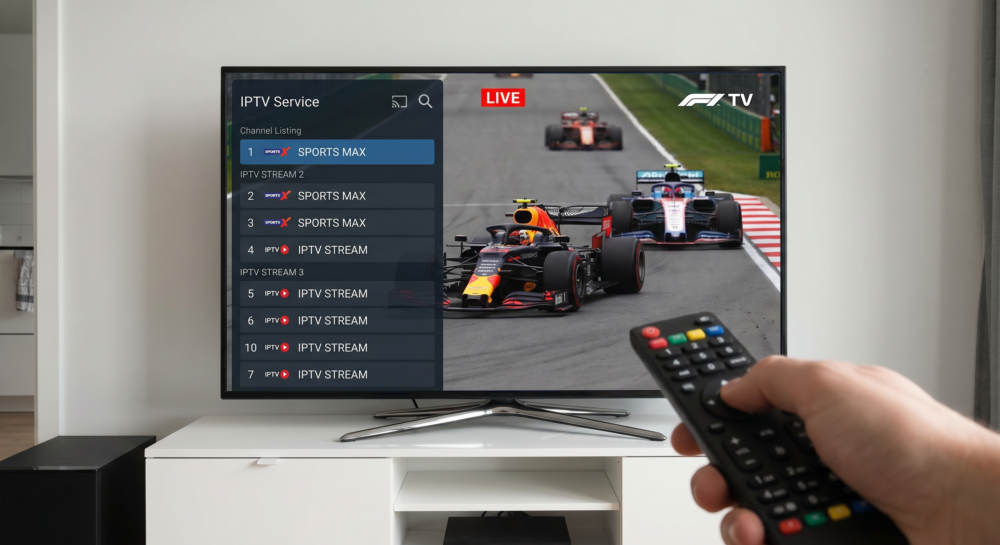
Why the IPTV F1 Live Stream UK Free Trial Is the Most Abused Offer in the Industry
Every reseller knows the story. A customer messages you an hour before qualifying, says they want to “try it out,” and expects a full race-weekend experience on a 24-hour test credit. The IPTV F1 live stream UK free trial is the single most-requested tasting window in the entire sports calendar — and it’s also the most likely to go wrong.
Formula 1 is technically the most demanding live sport to stream cleanly. Cars moving at over 300 km/h create massive pixel-change variance between frames. Cheap infrastructure falls apart at corners. Low-bitrate encoders stutter across the screen at Sector 3. When that happens during a free trial, you don’t just lose that subscriber — you get reviewed publicly.
This guide exists for two audiences: subscribers who want to test before they commit, and resellers who need to stop treating free trial windows like a throwaway tool. There is a right way and a very expensive wrong way to run IPTV F1 live stream UK free trials in 2026.
Pro Tip: Never activate a customer’s free trial on Friday before an F1 weekend unless your infrastructure has been stress-tested within the last 72 hours. Race weekends begin with practice sessions that are just as server-intensive as Sunday’s main event.
What the 24-Hour Trial Window Actually Tests (And What It Doesn’t)
Most IPTV free trials run for 24 hours. That sounds generous until you realise the F1 race weekend spans three days — Friday practice, Saturday qualifying and Sprint, Sunday Grand Prix. A 24-hour trial activated at the wrong time means your customer watches nothing but Friday’s less-watched FP1 session, then loses access.
The free trial tests delivery infrastructure under normal load. What it does not test:
- Server stability under peak concurrent connections during race day
- Failover behaviour when the primary uplink drops mid-race
- HLS latency management when 30,000 simultaneous streams hit your CDN node
- ISP throttling response after deep packet inspection identifies the traffic pattern
This is why serious IPTV services always recommend that resellers activate trial credentials at least 48 hours before the main race event. Testing on a quiet Thursday afternoon tells you almost nothing about what Sunday afternoon looks like at lights out.
| Trial Timing | What It Reveals | What It Hides |
|---|---|---|
| Thursday morning | Basic stream delivery | Peak-load behaviour |
| Saturday (Qualifying day) | Mid-tier load handling | Full race-day spike |
| Sunday (Race day) | Real infrastructure stress | Nothing — this is the real test |
| 1 hour before race start | Panic setup errors | Everything important |
The Infrastructure Stack Behind a Clean IPTV F1 Live Stream UK
Not all IPTV F1 live stream UK providers are delivering from the same architecture. The difference between a fluid 4K feed and a pixelated, buffering mess at Turn 1 comes down to three layers: encoding, transport, and delivery.
Encoding — F1 source feeds are broadcast at high bitrates. A quality provider transcodes these into HLS segments without dropping frames. This requires dedicated encoding hardware, not shared virtual machines that cut corners during peak windows.
Transport — This is where most budget providers collapse. A single uplink server handling tens of thousands of F1 streams simultaneously has no resilience. When that server gets flagged by an ISP using deep packet inspection and throttled mid-race, every subscriber on it experiences the same freeze at the same moment.
Delivery — CDN routing determines whether a viewer in Manchester gets the same latency as a viewer in London. Geo-routing, edge nodes, and backup uplink servers are non-negotiable for a consistent IPTV F1 live stream UK experience.
Pro Tip: Ask any IPTV provider how many separate uplink servers they route F1 sports streams through. One server means one point of failure. Anything fewer than three independent uplinks for premium sports content should disqualify a provider immediately during your free trial evaluation.
How ISP Throttling in 2026 Specifically Targets F1 Race Windows
This is the conversation most resellers avoid because it makes the service sound fragile. But ignoring it costs customers during the one hour they care about most.
Major UK ISPs have significantly upgraded their deep packet inspection capabilities since 2024. AI-assisted traffic analysis now identifies IPTV HLS streams in real time — not just by port or protocol, but by bitrate pattern, segment timing, and channel fingerprint. During high-profile sports events, throttling is applied algorithmically before any human decision is made.
The 2026 pattern is increasingly targeted at race-start windows. Traffic analysis shows a predictable spike exactly at lights-out as every subscriber hits play simultaneously. ISP systems have learned to associate that traffic signature with unlicensed streaming and apply bandwidth shaping in the critical first ten minutes.
The counter-strategy at the infrastructure level involves:
- Randomising HLS segment timing to break the traffic fingerprint
- Rotating DNS entries every 2–4 hours during event windows
- Using backup uplink servers on different IP ranges and carrier networks
- Deploying VPN-passthrough compatibility at the panel level
Resellers cannot fix this from the panel. But they can choose how their IPTV reseller panel works to protect customers from it during an IPTV F1 live stream UK free trial.
What Resellers Should Tell Every F1 Trial Customer Before Lights Out
The biggest churn trigger in IPTV reselling is not buffering. It is unmanaged expectations around buffering. A subscriber who knows that a five-second freeze during the opening lap is a CDN rerouting event — not a sign of a broken service — is a subscriber who renews.
Before any F1 trial activation, walk every customer through:
- Minimum recommended connection speed: 25 Mbps for 4K F1 streams, 15 Mbps for HD
- Ethernet over Wi-Fi wherever possible — wireless signal loss during high-motion content is amplified significantly
- Recommended apps for UK F1 IPTV: IPTV Smarters Pro or TiviMate on Android-based devices, with proper M3U playlist or Xtream Codes API configuration
- Reboot the router and the streaming device before the race — not during FP1, not 10 minutes before the race. Before.
- If the stream freezes, switch to the backup channel first before contacting support
This pre-briefing converts a shaky trial experience into a renewal. Most resellers skip it because it adds two minutes to setup. Those two minutes are the difference between a loyal subscriber and a one-star review.
Pro Tip: Create a WhatsApp message template for every F1 race weekend that goes out to all active trial subscribers 3 hours before lights out. Include the backup channel number, the recommended app setting, and a reminder to check their connection speed. Resellers who do this report trial-to-subscription conversion rates 35–40% higher than those who don’t.
Free Trial vs Paid Subscription: The Infrastructure Difference Nobody Admits
Here is something providers do not publish openly. Free trial accounts on many IPTV platforms are not routed through the same server infrastructure as paid subscribers.
This is a business decision that makes sense from the provider’s perspective — protecting paying customers from trial load spikes — but it creates a distorted picture for the subscriber testing the service. The stream quality during a free trial may be noticeably worse than what they would experience as a paid user, or in some architectures, marginally better if trials are on isolated test nodes.
For resellers evaluating a new provider, this matters enormously. Test the service under both a trial credential and a paid panel credit. Test during an F1 event window. If quality differs significantly between trial and paid, ask the provider directly which infrastructure each tier uses. Providers worth working with will answer transparently.
| Account Type | Typical Server Pool | Failover Included | Support Priority |
|---|---|---|---|
| Free Trial | Shared test nodes | Rarely | Low / none |
| Entry Paid Sub | Shared production pool | Sometimes | Standard |
| Premium Paid Sub | Dedicated channels | Yes | Priority |
| Reseller Panel Credit | Full production access | Yes | Direct |
Resellers using britishseller.co.uk’s IPTV reseller packages benefit from panel credits that access production-grade infrastructure from day one, not trial-tier routing.
Setting Up the Correct App Stack for IPTV F1 Live Stream UK on Different Devices
The app choice matters more for F1 than for any other content type. High-motion sport at broadcast bitrate is unforgiving. The wrong app introduces its own buffering layer on top of any network issues, compounding the problem.
Amazon Firestick: IPTV Smarters Pro remains the most stable option in 2026. Avoid using the native Silk browser for streams — it throttles bandwidth internally. Side-load the APK directly and configure via Xtream Codes API, not M3U URL, for faster channel loading.
Android TV / Android Box: TiviMate is the operator’s choice. Set the buffer size to 10–15 seconds for sports content specifically. The default 5-second buffer is fine for VOD but causes visible stuttering during the pit-stop window when multiple camera angles switch simultaneously.
Samsung Smart TV: Built-in IPTV app support via Smart IPTV or SS IPTV. MAC address registration is required. Activate at least 12 hours before the race — MAC activation delays are common and support response times slow significantly on race day.
Apple TV: Use GSE Smart IPTV or Flex IPTV. AirPlay from iOS to Apple TV introduces latency that creates a desync between audio and video in F1 streams — the commentary arrives before the on-screen action. Always stream natively to the Apple TV app rather than casting.
Frequently Asked Questions
What is an IPTV F1 live stream UK free trial?
An IPTV F1 live stream UK free trial is a limited-access test period, typically 24 hours, provided by IPTV services so subscribers can verify stream quality before committing to a paid subscription. It lets you confirm channel availability, stream stability, and app compatibility on your own device and network before race weekend.
How long does an IPTV F1 live stream UK free trial typically last?
Most providers offer 24-hour trials. Some offer 48-hour windows specifically designed around F1 race weekends so subscribers can test across practice, qualifying, and the race itself. Always request your trial to activate at least 48 hours before the main event, not on race morning.
Why does my IPTV F1 live stream buffer during the race but not during practice?
Race-start windows attract the highest concurrent connections of the entire weekend. This load spike tests your provider’s CDN infrastructure and server pool in ways that quiet practice sessions do not. Buffering at lights out is almost always a server-load issue, not a problem with your home network.
Can I use an IPTV F1 live stream UK free trial on multiple devices?
Most trials are issued as single-connection credentials. Running the same login on two devices simultaneously will cause one stream to drop. If you want to test multi-room delivery, ask your reseller for a multi-connection trial credit before the race weekend.
Is an IPTV F1 live stream UK free trial enough to judge a provider’s quality?
Not completely. Free trials are often routed through test infrastructure rather than the full production server pool. Test during an actual live event window — preferably qualifying or Sprint day — rather than on a quiet weekday. Also confirm whether the trial uses the same CDN nodes as paid accounts.
What should resellers check during an IPTV F1 live stream UK free trial?
Resellers should verify failover speed when the primary stream drops, backup channel availability, EPG accuracy for F1 session times, and app compatibility across Firestick, Android, and Smart TV. Also test the provider’s support response time during a live event — slow support during a race is a serious operational risk.
How do I avoid ISP throttling during an IPTV F1 live stream UK free trial?
Use a reputable VPN that supports IPTV traffic, or choose a provider whose infrastructure uses DNS rotation and HLS segment obfuscation. Connecting via Ethernet rather than Wi-Fi also reduces the ISP’s ability to fingerprint your traffic pattern at the router level.
What is the best device to use for an IPTV F1 live stream UK free trial?
For the most reliable test result, use a wired Ethernet connection on either a Firestick 4K Max with IPTV Smarters Pro, or an Android box running TiviMate. These setups eliminate Wi-Fi variables and give you the cleanest baseline reading of the provider’s actual stream quality.
IPTV F1 Live Stream UK Free Trial — Reseller Success Checklist
Use this before every F1 race weekend, without exception.
Infrastructure Verification (48 hours before race)
- Confirm your provider’s backup uplink server count for sports streams
- Verify backup F1 channel numbers in your panel and share them with all active subscribers
- Check EPG accuracy for all qualifying and race session times — EPG errors on F1 weekends cause unnecessary support tickets
Customer Preparation (24 hours before race)
- Send pre-race setup message to all trial subscribers via WhatsApp
- Confirm each trial credential is single-connection only — dual logins cause drop-outs
- Advise all subscribers to test the stream during FP2 or FP3, not 10 minutes before the race
App and Device Setup (race morning)
- Verify TiviMate buffer is set to 10–15 seconds for sports on all Android devices
- Confirm Firestick subscribers are using Xtream Codes API configuration, not M3U URL
- Remind Samsung Smart TV users that MAC address changes require re-registration — check before race day
Conversion Window (post-trial)
- Follow up within 2 hours of trial expiry — conversion rates drop 60% after 24 hours
- Offer a direct subscription link to IPTV services immediately after follow-up
- Document every trial feedback point — buffering complaints identify infrastructure weaknesses before they become churn