
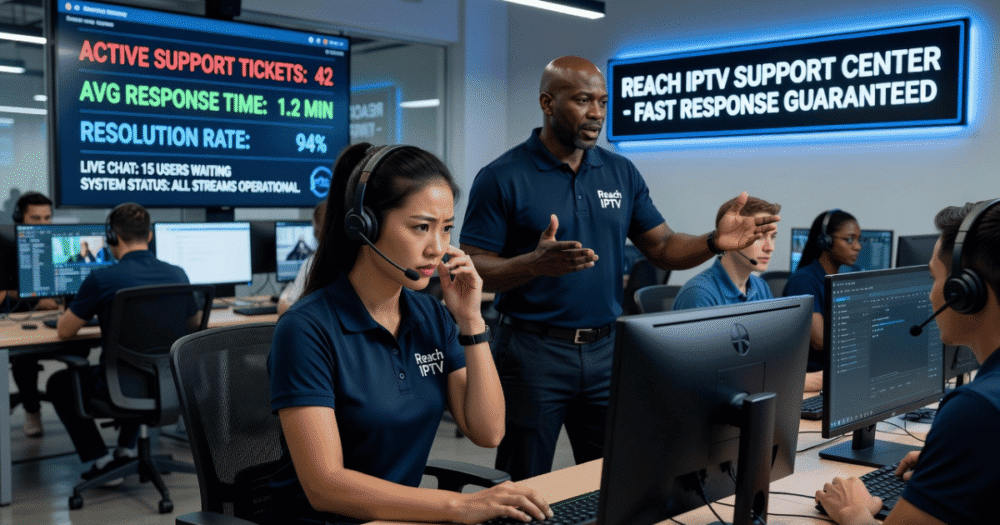
When Your IPTV Goes Down, Every Minute Costs You
It is 8:45 PM on a Saturday. A major football match kicks off in fifteen minutes. Your subscriber sends you a panicked message — streams are frozen, the app won’t load, and they are seconds away from cancelling. You open your reseller panel. Everything looks fine on your end. The problem is upstream, but your customer does not care about upstream. They care that it is broken and you are the one they paid.
This is the reality of running an IPTV operation in 2026. Knowing how to contact IPTV support effectively — and knowing what to say when you get through — is not a secondary skill. It is survival infrastructure.
This guide breaks down every method, priority order, and escalation tactic available to both subscribers and resellers when things go wrong.
Why Most People Contact IPTV Support at the Wrong Time
The single biggest mistake subscribers and resellers make is waiting too long or contacting the wrong channel. By the time someone sends an email explaining their issue in full sentences, the match has ended and the customer has already posted a complaint online.
Effective IPTV support contact is not about being polite — it is about being precise and fast. Most IPTV providers in the UK market now operate support across three or four channels simultaneously: WhatsApp, Telegram, live chat, and ticketing systems. Each has a different response time and a different appropriate use case.
Understanding which channel is built for speed versus which one is built for documentation will save you significant time and prevent you from burning your relationship with your upstream provider.
Pro Tip: Never open a support ticket for a live stream failure. Tickets are processed in queue. For real-time issues like buffering during peak events, WhatsApp or Telegram direct message is always faster. Save tickets for billing disputes, renewal failures, and account-level problems.
How to Contact IPTV Support via WhatsApp — The Fastest Route in 2026
WhatsApp has become the dominant IPTV support channel in the UK market, and for good reason. It is mobile-first, instant, and supports media sharing — meaning you can send a screen recording of your buffering issue in seconds.
When contacting IPTV support on WhatsApp, your message structure matters more than people realise. Providers handling hundreds of resellers simultaneously will triage messages by urgency and clarity. A vague message like “my stream is down” gets deprioritised. A structured message gets acted on immediately.
What to include in your WhatsApp support message:
- Your panel username or subscriber M3U/Xtream Codes login
- The specific channel or stream that has failed
- The device and player app in use (TiviMate, IPTV Smarters, GSE Smart IPTV)
- Your ISP name and approximate connection speed
- Whether the issue is channel-specific or service-wide
- The exact time the issue started
This information allows the support team to immediately check server-side logs, verify whether your ISP is throttling HLS streams, and isolate whether the fault is upstream or account-specific.
Telegram Support Groups — What Resellers Use for Faster Escalation
Telegram sits one level above WhatsApp in the IPTV ecosystem. Most serious providers maintain private Telegram channels for resellers specifically — not public groups, not broadcast channels, but closed operator rooms where downtime notices, server migration alerts, and DNS failover updates are posted in real time.
If your provider does not have a dedicated Telegram reseller group, that is a flag worth noting. In 2026, with AI-driven ISP blocking tools now capable of identifying and throttling IPTV streams within minutes of a major event starting, real-time communication between providers and resellers is not optional — it is operational necessity.
Pro Tip: Pin your provider’s Telegram reseller channel notifications as priority alerts on your phone. During major sports events, providers post backup server details and alternative DNS configurations often within the first ten minutes of any disruption. If you are not reading that channel live, you are ten minutes behind your customers.
IPTV Support Ticket Systems — When and How to Use Them Correctly
| Situation | Use Ticket System | Use WhatsApp/Telegram |
|---|---|---|
| Live stream down during event | ❌ No | ✅ Yes — immediately |
| Account suspension or ban | ✅ Yes | ✅ Yes — both |
| Billing error or credit dispute | ✅ Yes | ❌ Avoid |
| DNS configuration issue | ❌ No | ✅ Yes — urgent |
| Renewal not processing | ✅ Yes | ✅ Yes — both |
| Channel missing from playlist | ✅ Yes | ❌ Low priority |
Ticket systems create a paper trail. That matters for billing disputes, account bans, and credit discrepancies. Every reseller should have a logged record of every significant support interaction — not because providers are dishonest, but because when a genuine credit dispute arises three weeks after a server migration, having timestamped evidence of what was communicated protects you.
Never close a ticket prematurely. If a fix is promised, leave the ticket open and confirm resolution before marking it done.
What to Do When IPTV Support Is Not Responding
You have sent the WhatsApp message. You have pinged the Telegram group. Nothing. This scenario happens — particularly during peak event windows when providers are simultaneously dealing with hundreds of concurrent issues.
Here is the escalation sequence experienced resellers follow:
- Step 1 — Try the backup contact method. If WhatsApp is primary, switch to Telegram or live chat immediately. Do not send duplicate messages on the same channel.
- Step 2 — Check the provider’s status page or broadcast channel. Many providers post network-wide alerts. If a CDN node is being rerouted or a backup uplink server is being activated, the fix may already be in progress.
- Step 3 — Test an alternative DNS configuration. Many buffering and access issues during peak load hours are DNS-related, not server-side. Switching to a provider-recommended DNS can restore streams in under two minutes without any support interaction.
- Step 4 — Activate a backup line if available. Resellers managing more than twenty active subscribers should always have a secondary provider line available for exactly this situation. A backup line is not redundancy — it is the product you are selling.
- Step 5 — Communicate proactively with your subscribers. Send a message before they contact you. “We are aware of a service disruption and our team is actively resolving it” retains more customers than silence does.
For resellers looking to build a resilient operation with reliable upstream support, the IPTV reseller panel structure you choose from day one determines how quickly you can escalate when things go wrong.
How Subscribers Should Contact IPTV Support Without Going Through a Reseller
End subscribers often do not have direct access to the upstream provider. Their support contact is their reseller — which means a slow reseller becomes a churn event. However, when a reseller is unresponsive, subscribers have limited but workable options.
Most legitimate IPTV services provide a public-facing support channel, typically a live chat widget or Telegram public group, where end users can report issues and receive status updates. This is not the same as the reseller escalation channel — it is a lower-priority queue — but it confirms whether the issue is service-wide or account-specific.
Pro Tip: Subscribers should test their stream on a second device before contacting support. A significant proportion of “stream down” reports are actually app-level crashes on a single device — not server failures. Restarting TiviMate or IPTV Smarters Pro and clearing the app cache resolves the issue in under sixty seconds. Confirming this eliminates the most common false alarm in IPTV support queues.
IPTV Support During Peak Traffic Windows — The 2026 ISP Blocking Problem
This is where the support conversation gets more complex. In 2026, AI-assisted deep packet inspection tools deployed by major ISPs have become significantly more precise. They can now identify HLS stream signatures mid-session and apply throttling within minutes of a high-traffic event window opening.
What this means practically: your streams may work perfectly at 6 PM and begin degrading at 7:45 PM when simultaneous viewership spikes. The issue is not your provider’s server capacity. The issue is ISP-level load throttling targeting IPTV traffic patterns.
This is why the right support response in these scenarios is not just “fix my stream” — it is asking your provider which CDN routing path is currently active and whether a failover server or VPN-masked delivery endpoint is available for high-traffic periods.
Providers operating at serious scale — the ones worth staying with — have backup uplink servers specifically architected for event-night traffic spikes. If your provider cannot answer what their failover strategy looks like, that is a direct signal about the infrastructure quality behind your IPTV services.
Building Your Own First-Response Support System as a Reseller
At a certain subscriber count — typically around fifteen to twenty active users — reactive support stops being manageable. You cannot personally field every message at 9 PM on a Saturday. Building a lightweight first-response system dramatically reduces your support load.
Practical first-response infrastructure for IPTV resellers:
- A pinned WhatsApp broadcast message with the top three self-service fixes (DNS change, app restart, device reboot)
- A simple one-page troubleshooting PDF you send to every new subscriber at onboarding
- A Telegram or WhatsApp group for your subscribers where you post service status updates
- Automated renewal reminders set three days before subscription expiry to prevent unnecessary “my subscription stopped working” contacts
The majority of subscriber support contacts fall into five categories: stream buffering, app login failure, subscription expiry, device compatibility, and channel not found. If you have documented responses for all five, you can resolve seventy percent of incoming contacts without live interaction.
For resellers serious about scaling their operation, exploring the full IPTV services infrastructure available to you is a worthwhile first step before you hit the volume wall.
Frequently Asked Questions
What is the fastest way to contact IPTV support when a stream goes down?
WhatsApp is the fastest contact channel in 2026 for most UK-based IPTV providers. Send a structured message immediately including your login credentials, device, app name, ISP, and the exact issue. Avoid opening a ticket during a live event — ticket queues are not designed for real-time failures and response times can stretch to hours.
How do I contact IPTV support if my reseller is not responding?
Most upstream providers maintain a public-facing Telegram group or live chat for end-user status updates. Check this first to confirm whether the issue is service-wide. If your reseller remains unresponsive during repeated outages, that is a churn risk signal — consider switching to a provider with a more responsive reseller support chain.
Why does IPTV buffering get worse during football matches even when support says servers are fine?
This is typically an ISP-level issue, not a provider-side failure. AI-driven deep packet inspection tools used by major ISPs in 2026 can throttle HLS stream traffic precisely during high-traffic event windows. Your provider’s servers may be fully operational while your connection is being selectively throttled. Ask your provider for a backup DNS or VPN-masked delivery endpoint for peak event nights.
How should a reseller contact IPTV support to escalate a credit dispute?
Always use the ticket system for billing and credit disputes — never WhatsApp alone. Open a ticket, describe the discrepancy with dates and amounts, and leave it open until formally resolved. WhatsApp can be used in parallel to flag urgency, but the ticket creates the paper trail you need if the dispute is not resolved quickly.
Is it normal for IPTV support to take hours to respond?
During major live events, response times from busy providers can stretch if you contact through the wrong channel. WhatsApp and Telegram are typically faster than email or ticketing. Any provider whose WhatsApp response time exceeds two to three hours during off-peak periods is operating below acceptable standards for a reseller relationship.
Can I set up a support system for my own IPTV subscribers without being technical?
Yes. A pinned WhatsApp broadcast with self-service troubleshooting steps, a one-page setup and fix guide, and a Telegram status group covers the majority of subscriber contacts. Most IPTV subscriber issues fall into five categories — buffering, login failure, expiry, device incompatibility, and missing channels — all of which can be handled with pre-written responses.
What information should I always have ready before contacting IPTV support?
Your panel username, the affected subscriber’s M3U or Xtream Codes login, the device and player app in use, your ISP name, connection speed, and the exact time the issue began. This allows the support team to cross-reference server logs and determine whether the fault is account-level, ISP-related, or a wider infrastructure issue.
As a sub-reseller, who should I contact first — my reseller or the main provider?
Always contact your direct reseller first. Sub-resellers do not typically have direct access to the upstream provider’s support escalation channels. Your reseller is your support tier one. If your reseller is consistently unable to resolve issues or escalate quickly, that reflects on the infrastructure and support quality of the provider they are using.
IPTV Reseller Support Readiness Checklist
Before your next major event window, confirm all of the following:
- You have your provider’s WhatsApp and Telegram support contacts saved and tested
- You know whether your provider has a dedicated reseller Telegram group — and you are in it
- You have tested your provider’s backup DNS configuration and know how to apply it in under two minutes
- You have a secondary backup line active and verified for at least one subscriber account
- Your subscribers have a pinned troubleshooting message with the top three self-fix steps
- You have a documented process for credit disputes that includes ticket creation
- You know your provider’s failover server architecture and what triggers automatic rerouting
- You have confirmed your provider’s average WhatsApp response time during off-peak hours
Resellers who want to benchmark their current infrastructure against what a properly supported panel looks like can review the full IPTV reseller panel setup for a direct comparison. For those building from scratch or migrating to a more reliable upstream, britishseller.co.uk covers UK-specific reseller panel options with a focus on operational reliability over price.